



Repair
Call for price
Purchase
CSL Part Number: 104489
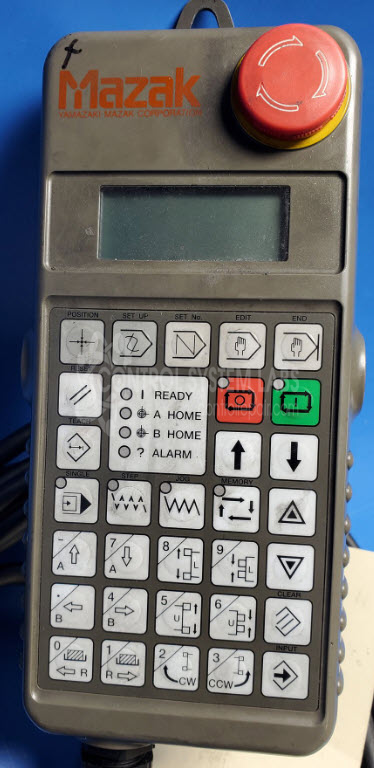
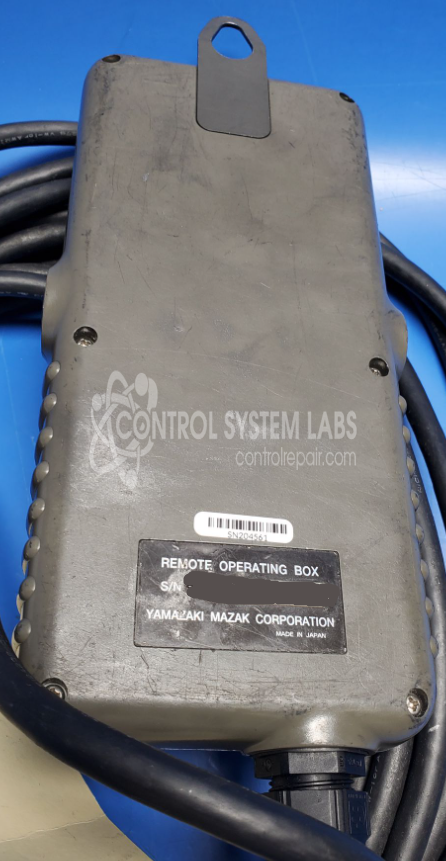
Product Overview: The Mazak Multiplex 620 is a remote operating box (terminal) serving as an operator interface pendant for Mazak CNC machine tools. It provides manual control and monitoring functions for machine operation, typically connected to the main CNC controller. The device features an LCD display screen, emergency stop button, and control inputs for direct machine interaction. Commonly used with Mazak turning centers and multi-tasking machines, it allows operators to execute commands and view status information remotely from the control cabinet.
Category: Operator Interface
Manufacturer: Mazak
Manufacturer Part Number: Multiplex 620
Additional parts may be quoted at evaluation.
Common Failures
A common issue with the Mazak pendant is a non-functional screen, where no LED or display function is apparent, despite proper power supply and data flow to the LCD module.
Repair Approach
Our diagnostic testing confirms power supply functionality and data signals to the display are intact. Further analysis may indicate that external communication is necessary for the display to function properly.
Testing & Quality
All repaired units undergo diagnostic testing to confirm power supply integrity and proper data flow to the LCD. Each repair is reviewed for quality and functionality before completion.
Limited Repair
The Mazak part number is only available as a limited repair at our facility. Repairs to this item may be limited due to several reasons:
- Availability of parts
- Less than 100% test ability due to required support equipment
To have us attempt a repair on your Mazak part follow these steps:
Step 1 -
Click the Repair Now button above to add the part and complete the RMA form.
Step 2 -
Print the RMA form that is sent to your email, and put it in the box with the parts for repair.
Step 3 -
Mail the box to the address on the RMA.
After we receive your item, we will perform an inspection and an authorization to repair will be sent for your approval. Work will begin after your authorization is received.
Once the user has seen at least one product this snippet will be visible.