




Repair
Repair Price: $ 1,856.00
Purchase
CSL Part Number: 122717
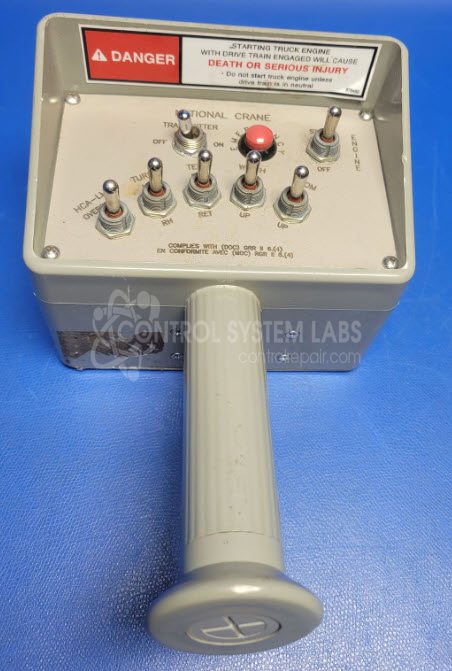
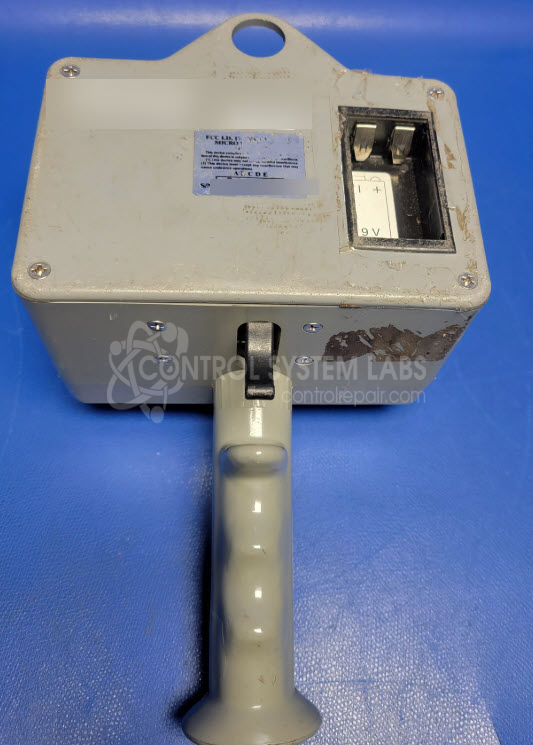
Product Overview: A handheld wireless transmitter used to remotely operate truck-mounted cranes. It sends control signals to an onboard receiver, enabling operators to manage crane functions such as lifting, boom movement, and load positioning from a distance for improved safety and visibility.
Category: Transmitter
Manufacturer: Microtronics, Inc.
Alternate Manufacturer Names: National Crane
Manufacturer Part Number: TX-P1
Series: National Crane TX Series
Other Synonyms: National Crane
Whether it's a broken switch, no communication, remote doesn't connect, broken case, or intermittent operation, send us your remote and we'll have you communicating. The repair price listed on the website is the normal repair price. After we receive the unit, it will be evaluated and a repair price will be quoted based on the expected repairs required. The repair price can be significantly greater if the control board needs to be extracted from the potting compound. Include matching receiver so pairing can be tested.
Common Failures
The Omnex T150 controller may experience issues related to corrosion on the main board, which can affect functionality. Corrosion may interfere with wireless or hardwired operation and can cause the controller to misinterpret inputs, such as registering a switch as stuck when it is not.
Repair Approach
Our repair process for corrosion-related damage typically includes cleaning the board, repairing damaged vias and traces, and applying a protective conformal coating. Missing hardware may be replaced, and faceplate switches are inspected and adjusted to ensure proper operation. Units with additional physical damage are evaluated and repaired as needed.
Testing & Quality
Following repair, units are tested to verify functionality. This includes powering the unit and confirming that all switches register correctly. Corrosion-related damage is not covered under warranty. For questions about pricing, warranty coverage, or repair options, please contact our Customer Service team.
Service and repair your broken National Crane part
We can repair your National Crane model TX-P1 in our facility. Let our skilled technicians get your National Crane back in operation quickly.
Step 1 - Click the green 'Repair Now' button above to add the part and then complete the RMA.
Step 2 - The RMA form will be sent to you via email. Print the RMA form and put it in a box with the item(s) for repair.
Step 3 - Ship or mail the box to the address listed on the RMA.
Once the user has seen at least one product this snippet will be visible.