


Miller Electric RCC-14 Slide Control with Cable
Repair
Repair Price: $ 280.00
Purchase
CSL Part Number: 114328
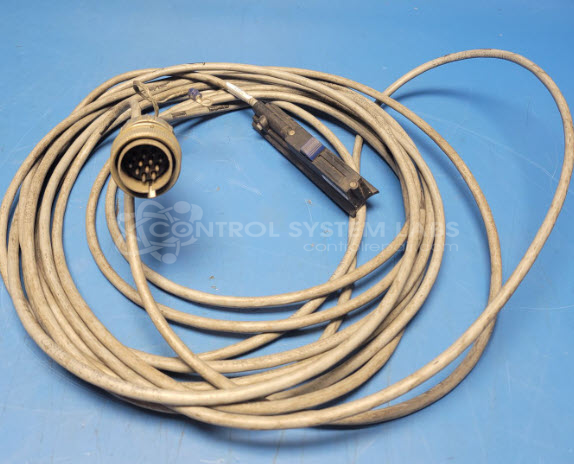
Product Overview: The Miller Electric RCC-14 is a remote fingertip amperage control for TIG welding operations. It features a side-to-side rotary slide potentiometer for precise amperage adjustment and an integrated contactor switch. The controller mounts to the TIG torch via hook-and-loop fasteners and connects through a 27.5-foot cable terminated with a 14-pin plug. It is commonly used with Miller TIG welding power sources for operator control during precision welding applications.
Category: Power Controls
Manufacturer: Miller Electric
Manufacturer Part Number: RCC-14
Also Known As(AKA): 151086
Common Failures
The main issues identified with the Miller Electric RCC-14 Controller included a non-functional slide due to a defective slide potentiometer and issues with the associated cable assembly.
Repair Approach
The repair involved replacing the defective slide potentiometer. Due to differences in the mounting pattern of the replacement component, modifications were made to ensure proper alignment. The associated cable was also replaced with a suitable six-conductor-with-shield cable, adapted to match the original specifications.
Testing & Quality
After repairs, the unit was tested and all functions, including the potentiometer and end switch, were confirmed to be working correctly.
Service and repair your broken Miller Electric part
We can repair your Miller Electric model RCC-14 in our facility. Let our skilled technicians get your Miller Electric back in operation quickly.
Step 1 - Click the green 'Repair Now' button above to add the part and then complete the RMA.
Step 2 - The RMA form will be sent to you via email. Print the RMA form and put it in a box with the item(s) for repair.
Step 3 - Ship or mail the box to the address listed on the RMA.
Once the user has seen at least one product this snippet will be visible.