




Repair
Call for price
Purchase
CSL Part Number: 81169
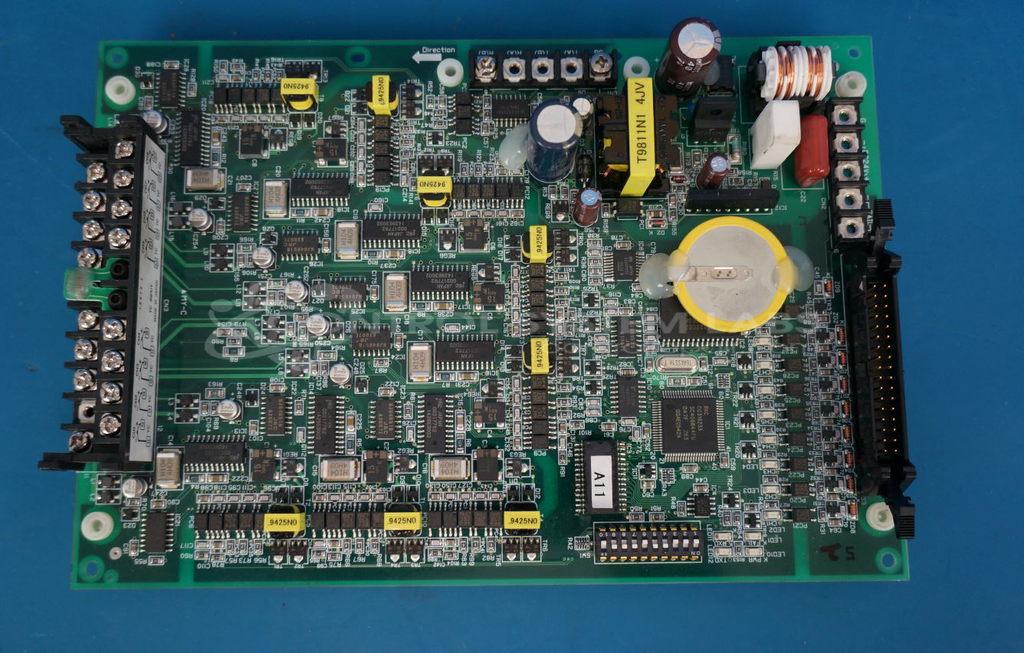
Product Overview: An 8-zone temperature control unit (TCU) that regulates process temperatures from 0 to 600 degrees Celsius. It provides independent transistor output control across multiple zones, commonly used in industrial heating and paper production equipment requiring precise multi-point thermal management.
Category: Temperature Control
Manufacturer: Mitsubishi
Manufacturer Synonyms: Mitsubishi Electric Corp
Manufacturer Part Number: REX-B880-8-CS1
Common Failures
Typical issues reported for this product include various output channels not functioning due to component failures and general improper operation. Users often experience problems with specific components such as transistors and bridge rectifiers that may require replacement to restore functionality.
Repair Approach
The repair process typically involves verifying the reported issues through testing, replacing faulty components as needed, and ensuring proper installation of any hardware. Commonly replaced components include transistors and bridge rectifiers. After repairs, components are retested to confirm resolution of the issues.
Testing & Quality
Before completing repairs, the product undergoes testing to verify both the initial problem and the repair outcome. This includes testing individual components as well as overall functionality of the device. This ensures that the product is operational before being returned to the customer.
Service and repair your broken Mitsubishi part
We can repair your Mitsubishi model REX-B880-8-CS1 in our facility. Let our skilled technicians get your Mitsubishi back in operation quickly.
Step 1 - Click the green 'Repair Now' button above to add the part and then complete the RMA.
Step 2 - The RMA form will be sent to you via email. Print the RMA form and put it in a box with the item(s) for repair.
Step 3 - Ship or mail the box to the address listed on the RMA.
Once the user has seen at least one product this snippet will be visible.