




Repair
Call for price
Purchase
CSL Part Number: 15388
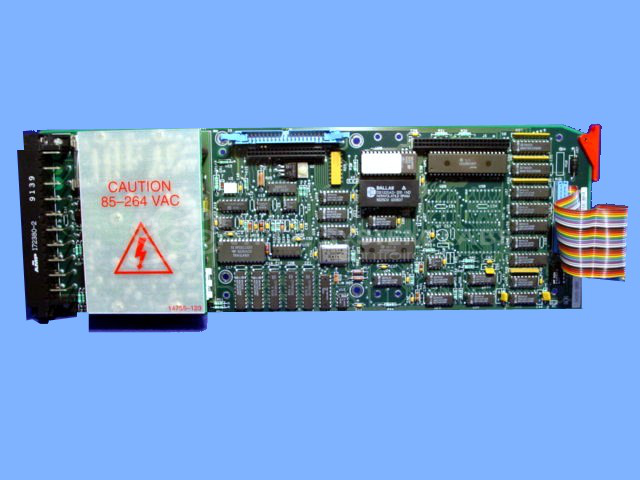
Product Overview: A microprocessor-based controller board with integrated power supply, used for automatic process control of industrial equipment such as boiler feed water polishers. It executes configurable control functions and supports menu-driven parameter programming, with onboard memory for storing configuration and operating parameters.
Category: Control Board
Manufacturer: Moore Products Co.
Manufacturer Part Number: 352EA21NNF
Series: Mycro 352 Series
No Link Interface
Common Failures
Issues with these controllers often involve power supply modules and capacitors. Symptoms typically include no display, non-functioning automatic features of connected systems, and memory failures.
Repair Approach
Repairs frequently involve replacing power supply components, capacitors, and memory modules. Addressing any visible corrosion or burnt areas can resolve many issues. Customers are encouraged to verify configuration settings and parameters post-repair.
Testing & Quality
After repairs, units are tested using a display unit to confirm functionality, including menu navigation. This step helps verify that power supply issues have been resolved and that any corrupted settings are corrected. Customers are advised to recheck their configurations to prevent recurrence.
Service and repair your broken Moore Products Co. part
We can repair your Moore Products Co. model 352EA21NNF in our facility. Let our skilled technicians get your Moore Products Co. back in operation quickly.
Step 1 - Click the green 'Repair Now' button above to add the part and then complete the RMA.
Step 2 - The RMA form will be sent to you via email. Print the RMA form and put it in a box with the item(s) for repair.
Step 3 - Ship or mail the box to the address listed on the RMA.
Once the user has seen at least one product this snippet will be visible.