



Repair
Call for price
Purchase
CSL Part Number: 61272
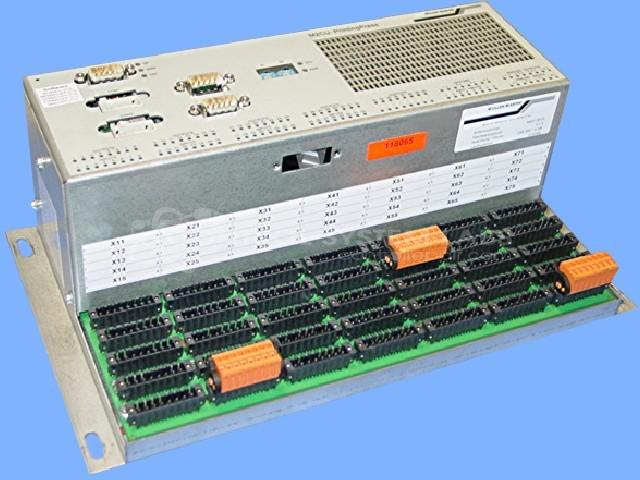
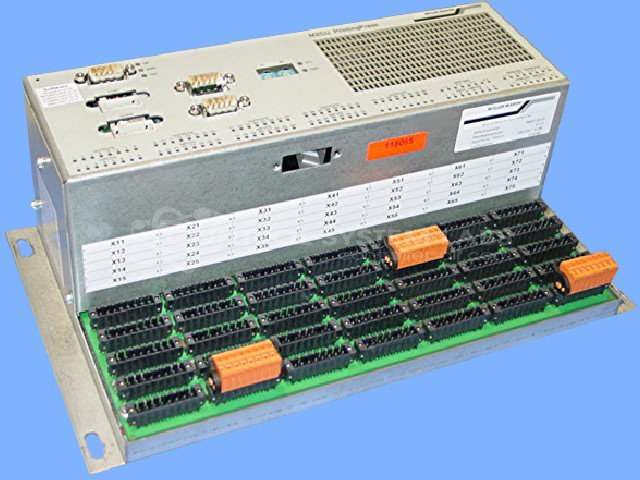
Product Overview: The M2CU is a printing press controller manufactured by Muller Martini for industrial printing equipment. It manages critical press functions including registration movement, ink ball ducting, and operational timing. The controller features a microcontroller-based design with integrated DC-DC power conversion, providing 24V, 5V, and 3.3V rails to support various control circuits. It includes battery-backed SRAM for parameter retention and front panel status indicators. This unit is commonly found in Muller Martini printing press systems where precise control of mechanical registration and ink distribution is required.
Category: Power Controls
Manufacturer: Muller Martini
Manufacturer Part Number: 4401.0015
Limited Repair
Common Failures
This product has been reported to experience several common issues, including overheating, registration movement, improper ink ball ducting, and corrosion on the main interface board connector. Capacitor degradation may also occur.
Repair Approach
Typical repair solutions include replacing capacitors in the power supply section. Issues related to missing or defective battery components are resolved by installation or replacement. Corrosion is treated by cleaning and resoldering the affected components. Preventative measures may include replacing capacitors to support continued reliability.
Testing & Quality
After repairs, units undergo diagnostic testing to confirm proper operation, including powering the DC-DC converter to verify output voltage levels. A burn-in test with a load is conducted to check voltage outputs and verify that systems are functioning as expected. Final inspections ensure that repairs and maintenance activities have been completed.
Repair your broken Muller Martini part
We can repair your Muller Martini model 4401.0015 .
Please note: our repair turnaround time may be longer than our standard lead times for this item.
Step 1 -
Click the green button above, "Repair Now," and add to your RMA.
Step 2 -
Print the RMA form that is emailed to you, and put it in a box with the parts for repair.
Step 3 -
Mail the box to the address on the RMA.
You will be sent an authorization for repair via email. Your approval is needed before any work is started.
Once the user has seen at least one product this snippet will be visible.