




Repair
Repair Price: $ 1,076.00
Purchase
CSL Part Number: 11155
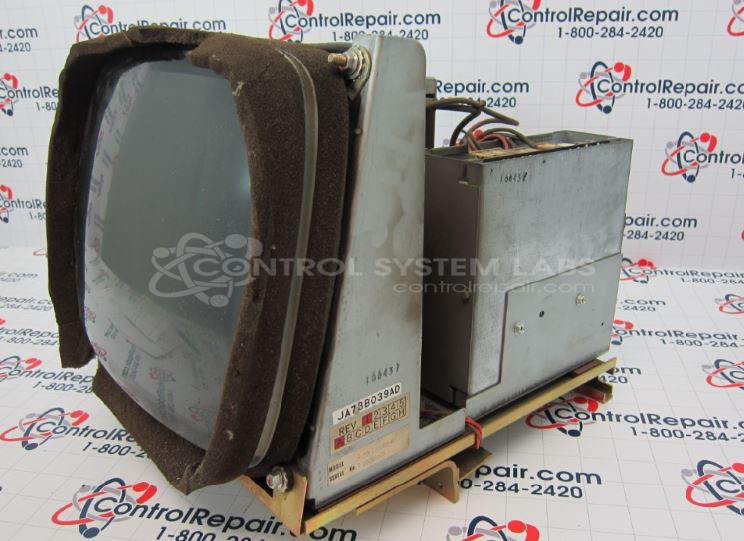
Product Overview: A 12-inch color CRT monitor providing analog/digital video display for industrial machinery and operator interface terminals. It supports resolutions such as 640x400 with horizontal and vertical sync, featuring deflection and power supply boards. An LCD retrofit upgrade is available as a replacement.
Category: CRT Monitors
Manufacturer: NEC Electronics Inc.
Manufacturer Part Number: CU-1201P2
Common Failures
Several common issues have been identified with this product, including screen image distortion, lack of video output, and defective flyback transformers. Additional symptoms reported include compressed images, unresponsive buttons, burnt high voltage components, and shaky screens after extended use.
Repair Approach
Repairs frequently involved replacing various components such as capacitors, resistors, transistors, and CRTs. Specific repairs included replacing picture tubes to address dark images, integrating LCD upgrades for obsolete high voltage components, and fixing cracked circuit boards. In some cases, units were deemed beyond economic repair due to unavailability of parts.
Testing & Quality
Post-repair, units were subjected to rigorous testing and diagnostics, including running analyzers for several hours to ensure functionality. Extended burn-in periods, ranging from 12 to 78 hours, were commonly utilized to verify repair integrity and performance stability.
Service and repair your broken NEC Electronics Inc. part
We can repair your NEC Electronics Inc. model CU-1201P2 in our facility. Let our skilled technicians get your NEC Electronics Inc. back in operation quickly.
Step 1 - Click the green 'Repair Now' button above to add the part and then complete the RMA.
Step 2 - The RMA form will be sent to you via email. Print the RMA form and put it in a box with the item(s) for repair.
Step 3 - Ship or mail the box to the address listed on the RMA.
Once the user has seen at least one product this snippet will be visible.