



Repair
Repair Price: $ 884.00
Purchase
CSL Part Number: 108453
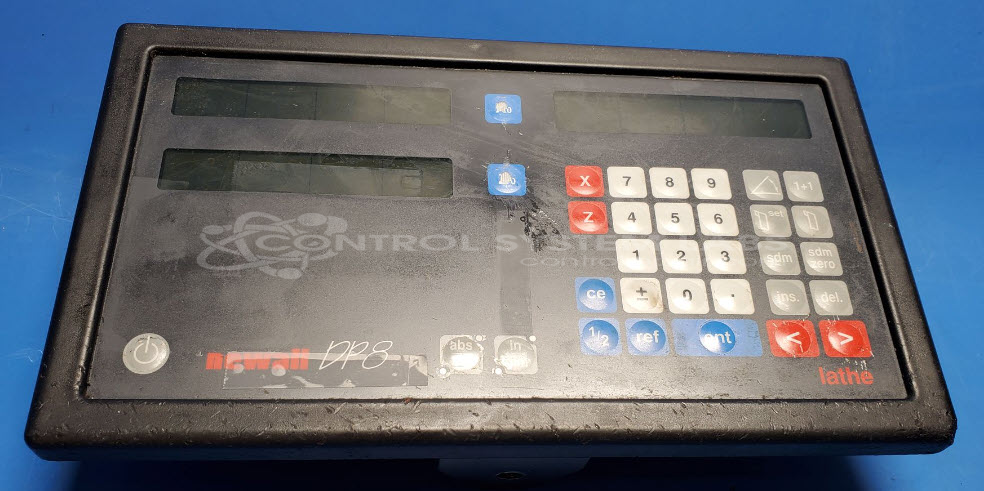
Product Overview: The Newall 8DP Digital Display Unit is a two-axis digital readout (DRO) designed for lathe applications. It displays real-time position data from linear encoders mounted on machine tool axes, enabling precise measurement and positioning during machining operations. The unit features a membrane overlay control panel and supports RS422/485 communication. Commonly used on manual and semi-automatic lathes, it provides operators with accurate digital feedback for turning, facing, and threading operations.
Category: Meters / Gauges / Readouts
Manufacturer: Newall Electronics
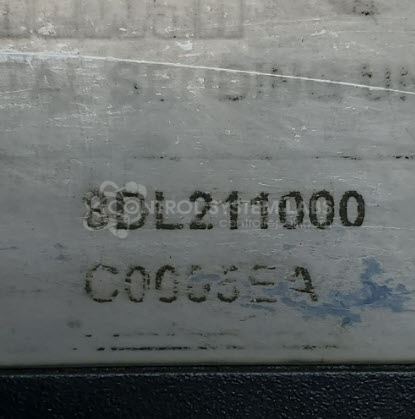
Manufacturer Part Number: 8DL211000
Series: DP8 DIGITAL DISPLAY
Also Known As(AKA): DP8 Lathe
Common Failures
Units may exhibit issues such as difficulty reading multiple axes simultaneously or display freezing when both axes are connected. Some units have been received with unresponsive buttons on the membrane overlay, and cracked plastic bezels have also been noted.
Repair Approach
Repairs may involve replacing defective components such as the membrane overlay when buttons are unresponsive. Cracks in the plastic frame bezels are addressed using a plastic welder to repair splits. Each unit undergoes evaluation and necessary testing to confirm functionality.
Testing & Quality
Units are subjected to thorough testing, including extended power-on tests, to confirm reliability. Testing covers the display unit functions, and all tested features must operate correctly before the unit is returned. These measures are designed to verify that the display, buttons, and communication functions are working properly.
Service and repair your broken Newall Electronics part
We can repair your Newall Electronics model 8DL211000 in our facility. Let our skilled technicians get your Newall Electronics back in operation quickly.
Step 1 - Click the green 'Repair Now' button above to add the part and then complete the RMA.
Step 2 - The RMA form will be sent to you via email. Print the RMA form and put it in a box with the item(s) for repair.
Step 3 - Ship or mail the box to the address listed on the RMA.
Once the user has seen at least one product this snippet will be visible.