




Repair
Call for price
Purchase
CSL Part Number: 83606
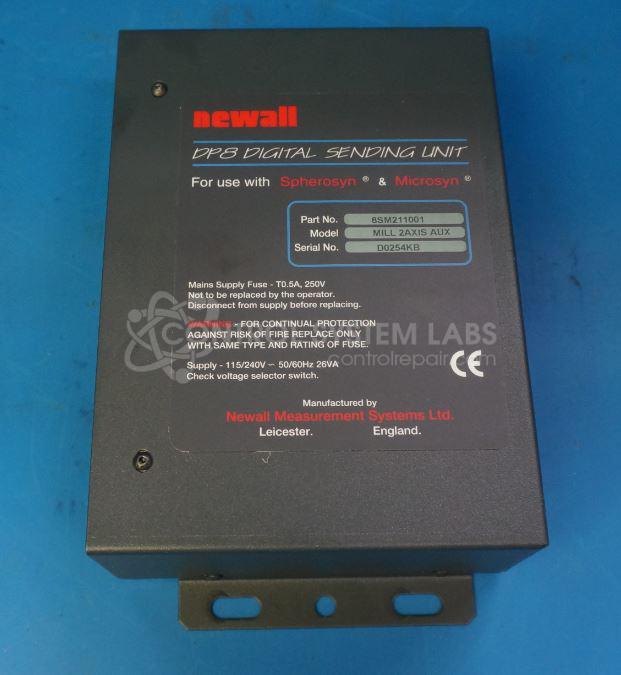
Product Overview: A digital sending unit that processes axis position data and keypad commands, communicating with a paired display for digital readout (DRO) systems on milling machines and similar machine tools. Operates on 230VAC input, generating internal supplies of 3 x +5V and +12V, and includes a 3.6V NI-MH backup battery.
Category: Control Board
Manufacturer: Newall Electronics
Manufacturer Part Number: 8SM2111000
Also Known As(AKA): MILL 2AXIS AUX
Common Failures
Reported issues have included keypad input unresponsiveness, units that do not start, power light not illuminating, display problems, and sending units not responding or transferring issues when swapped between machines.
Repair Approach
Repairs have involved verifying and resolving control issues, replacing faulty components such as capacitors and batteries, and ensuring proper power supply connections. Specific tasks have included replacing electrolytic capacitors, repairing damaged PCBs, installing new fuses, and verifying communication between display and sending units.
Testing & Quality Assurance
The repair process includes testing to verify functions. Units are tested to ensure they power up correctly, internal power supplies are verified, digital activity is checked, and communication between critical components is confirmed. Customers are updated regarding repair findings and outcomes.
Service and repair your broken Newall Electronics part
We can repair your Newall Electronics model 8SM2111000 in our facility. Let our skilled technicians get your Newall Electronics back in operation quickly.
Step 1 - Click the green 'Repair Now' button above to add the part and then complete the RMA.
Step 2 - The RMA form will be sent to you via email. Print the RMA form and put it in a box with the item(s) for repair.
Step 3 - Ship or mail the box to the address listed on the RMA.
Once the user has seen at least one product this snippet will be visible.