



Repair
Repair Price: $ 1,768.00
Purchase
CSL Part Number: 115037
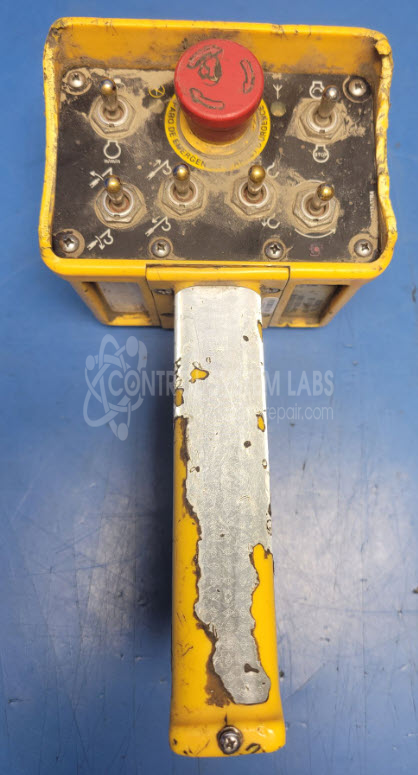
Product Overview: The Omnex T150 Wireless Transmitter is a handheld remote controller used for wireless operation of industrial equipment. It transmits control signals to receiver units, enabling operators to control machinery from a distance. Commonly used in manufacturing, material handling, and crane applications where remote operation improves safety and efficiency. The unit features multiple button contacts including emergency stop functionality and operates on battery power with wireless communication circuitry.
Category: Transmitter
Manufacturer: Omnex
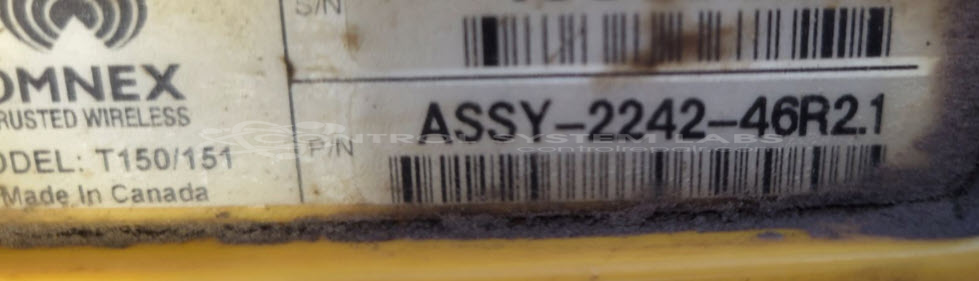
Manufacturer Part Number: ASSY-2242-46R21
Series: T150 Handheld Remote Controller
Whether it's a broken switch, no communication, remote doesn't connect, broken case, or intermittent operation, send us your remote and we'll have you communicating. The repair price listed on the website is the normal repair price. After we receive the unit, it will be evaluated and a repair price will be quoted based on the expected repairs required. The repair price can be significantly greater if the control board needs to be extracted from the potting compound.
Common Failures
This product has been reported to stop working primarily due to water damage. Corrosion, particularly on power connectors and pin headers, is a frequent issue noted in reported failures.
Repair Approach
When devices exhibit corrosion due to water exposure, we may replace key components, including pin headers and seals. The process may include removing and re-applying potting material to help protect against future moisture exposure. Each unit is evaluated individually, and specific repair steps are determined based on inspection findings.
Testing & Quality
After repairs, products undergo comprehensive testing, including diagnostic evaluations and burn-in tests, to verify functionality and reliability. These steps help confirm the quality of repairs and device readiness for use.
Service and repair your broken Omnex part
We can repair your Omnex model ASSY-2242-46R21 in our facility. Let our skilled technicians get your Omnex back in operation quickly.
Step 1 - Click the green 'Repair Now' button above to add the part and then complete the RMA.
Step 2 - The RMA form will be sent to you via email. Print the RMA form and put it in a box with the item(s) for repair.
Step 3 - Ship or mail the box to the address listed on the RMA.
Once the user has seen at least one product this snippet will be visible.