



Repair
Repair Price: $ 1,768.00
Purchase
CSL Part Number: 110506
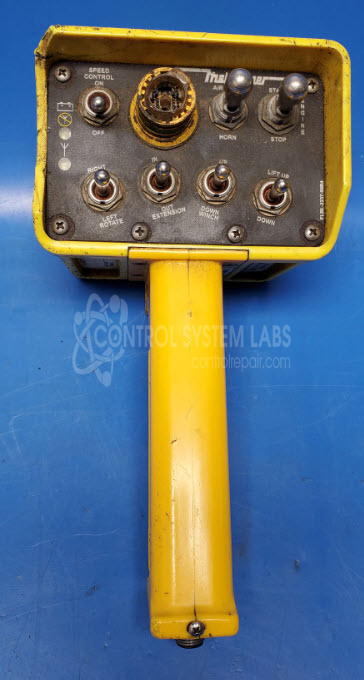
Product Overview: The T150 is a handheld radio frequency transmitter used for wireless remote control of industrial equipment such as cranes, hoists, and material handling systems. It features a rugged housing with an integrated emergency stop button, trigger controls, and weather-resistant sealing to withstand harsh operating environments. The transmitter communicates wirelessly with compatible receivers to enable operator control from a distance, improving safety and operational flexibility in manufacturing, construction, and warehouse applications.
Category: Transmitter
Manufacturer: Omnex
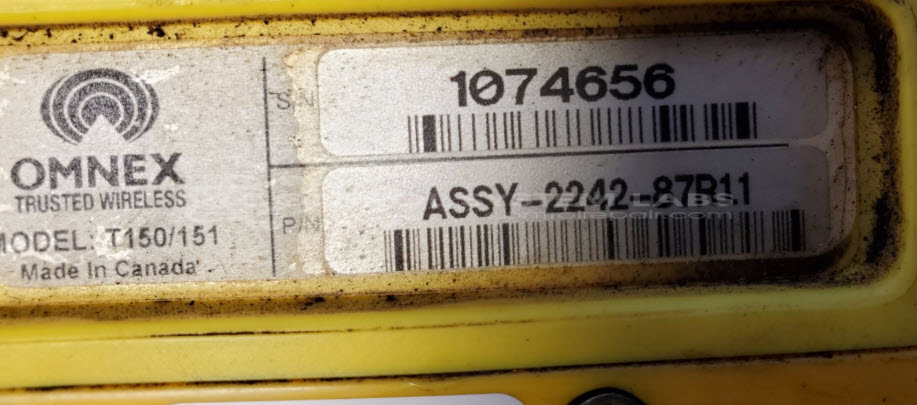
Manufacturer Part Number: ASSY-2242-87R1.1
Series: T150 Handheld Remote Controller
Whether it's a broken switch, no communication, remote doesn't connect, broken case, or intermittent operation, send us your remote and we'll have you communicating. The repair price listed on the website is the normal repair price. After we receive the unit, it will be evaluated and a repair price will be quoted based on the expected repairs required. The repair price can be significantly greater if the control board needs to be extracted from the potting compound.
Common Failures
Common issues reported include a missing E-Stop button and cracked casing. While physical damage may be present, internal electronics often remain functional.
Repair Approach
Repairs may include replacing the E-Stop button and addressing case damage. This can involve repairing damaged screw holes with epoxy and applying weather sealing for improved durability. The repair process also includes sealing the case edges with RTV adhesive as needed.
Testing & Quality
Following repairs, the unit is tested to verify functionality. Testing procedures are designed to preserve battery life and confirm operational integrity.
Service and repair your broken Omnex part
We can repair your Omnex model ASSY-2242-87R1.1 in our facility. Let our skilled technicians get your Omnex back in operation quickly.
Step 1 - Click the green 'Repair Now' button above to add the part and then complete the RMA.
Step 2 - The RMA form will be sent to you via email. Print the RMA form and put it in a box with the item(s) for repair.
Step 3 - Ship or mail the box to the address listed on the RMA.
Once the user has seen at least one product this snippet will be visible.