




Repair
Repair Price: $ 1,768.00
Purchase
CSL Part Number: 119406
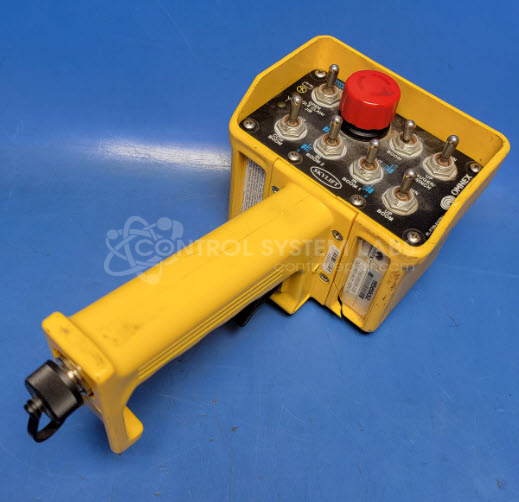
Product Overview: The T150 Series Wireless Remote Controller is a handheld transmitter manufactured by Omnex for industrial wireless control applications. It uses radio frequency communication to remotely operate equipment such as cranes, hoists, and mobile machinery. The unit features multiple control switches, an emergency stop button, and a tethered configuration option. The controller is housed in a ruggedized, potted enclosure designed to protect internal circuitry from harsh industrial environments. Key components include the main PCB with shift registers, RF amplifier, diode arrays, and switch contacts that interface with the transmitter's control logic.
Category: Transmitter
Manufacturer: Omnex
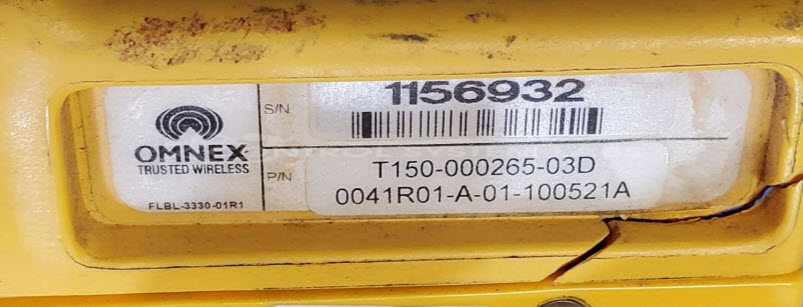
Manufacturer Part Number: T150-000265-03D
Series: T150 Handheld Remote Controller
Whether it's a broken switch, no communication, remote doesn't connect, broken case, or intermittent operation, send us your remote and we'll have you communicating. The repair price listed on the website is the normal repair price. After we receive the unit, it will be evaluated and a repair price will be quoted based on the expected repairs required. The repair price can be significantly greater if the control board needs to be extracted from the potting compound.
Common Failures
This product may experience issues such as a cracked case or failure to sync, sometimes indicated by flashing lights. A "stuck switch" error can occur, which may be related to corrosion on the tether wire contacts or other components. Non-responsive buttons or short circuits within the unit are also possible.
Repair Approach
We perform diagnostic testing to identify affected components. A typical repair process may include removing the circuit board, addressing corroded contacts, and replacing damaged tether wire contacts. In some cases, transferring the circuit board to a new housing may be necessary when the case is cracked or compromised. The replacement case may differ in color from the original.
Service and repair your broken Omnex part
We can repair your Omnex model T150-000265-03D in our facility. Let our skilled technicians get your Omnex back in operation quickly.
Step 1 - Click the green 'Repair Now' button above to add the part and then complete the RMA.
Step 2 - The RMA form will be sent to you via email. Print the RMA form and put it in a box with the item(s) for repair.
Step 3 - Ship or mail the box to the address listed on the RMA.
Once the user has seen at least one product this snippet will be visible.