



Repair
Repair Price: $ 1,768.00
Purchase
CSL Part Number: 85117
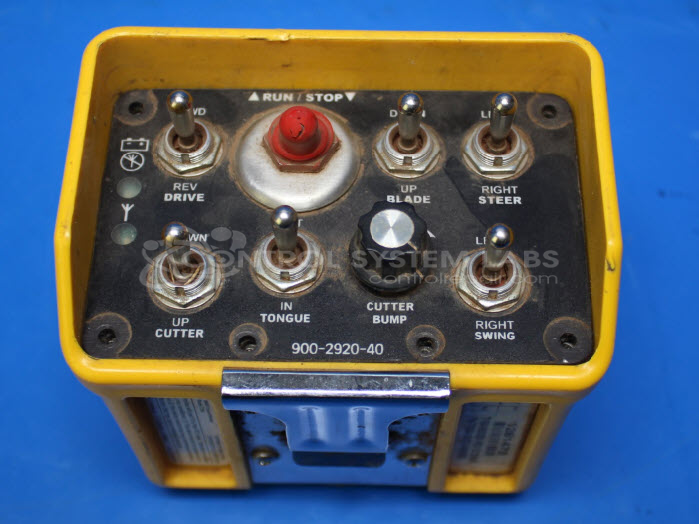
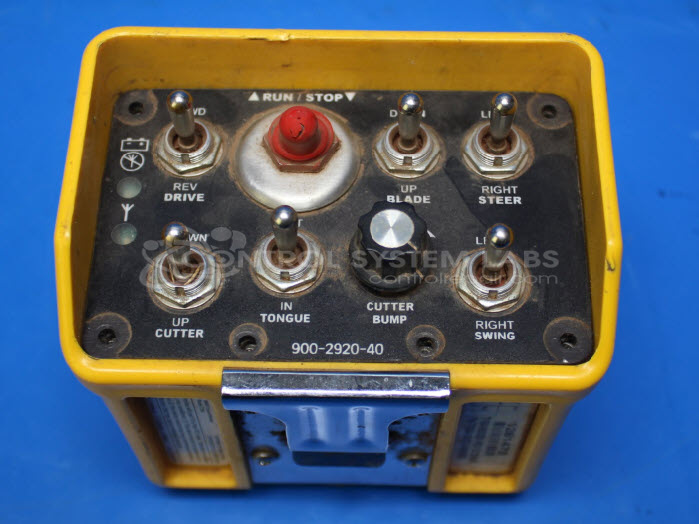
Product Overview: The T150 Series Wireless Transmitter is a handheld industrial remote controller manufactured by Omnex (also known as EATON). It wirelessly transmits control signals to paired receivers for operating cranes, hoists, and other material handling equipment. The device features multiple toggle switches that allow operators to control various functions remotely from a safe distance. It uses a rugged enclosure designed for industrial environments and relies on secure wireless communication with compatible T150 receivers to enable precise equipment control.
Category: Transmitter
Manufacturer: Omnex
Alternate Manufacturer Names: EATON
Manufacturer Part Number: T150-000328 Rev D
Series: T150 Handheld Remote Controller
Also Known As(AKA): T150
Other Synonyms: EATON
Used in the Bandit 2150 Stump grinder. The repair price listed on the website is the normal repair price. After we receive the unit, it will be evaluated and a repair price will be quoted based on the expected repairs required. The repair price can be significantly greater if the control board needs to be extracted from the potting compound.
Common Failures
One common issue observed with this product is dead channels, which prevent signal transmission. Root causes may include physical damage or corrosion affecting connector socket pins.
Repair Approach
The repair process may include replacing the seal around the faceplate and re-terminating pins on wires connected to the front faceplate. If necessary, damaged connectors for specific functions may be replaced to restore operation.
Testing & Quality
Repairs are validated through testing to verify proper functionality. This includes confirming that the unit pairs successfully with a receiver and that all controls are properly registered by both the unit and the receiver.
Service and repair your broken Omnex part
We can repair your Omnex model T150-000328 Rev D in our facility. Let our skilled technicians get your Omnex back in operation quickly.
Step 1 - Click the green 'Repair Now' button above to add the part and then complete the RMA.
Step 2 - The RMA form will be sent to you via email. Print the RMA form and put it in a box with the item(s) for repair.
Step 3 - Ship or mail the box to the address listed on the RMA.
Once the user has seen at least one product this snippet will be visible.