



Repair
Repair Price: $ 716.00
Purchase
CSL Part Number: 71452
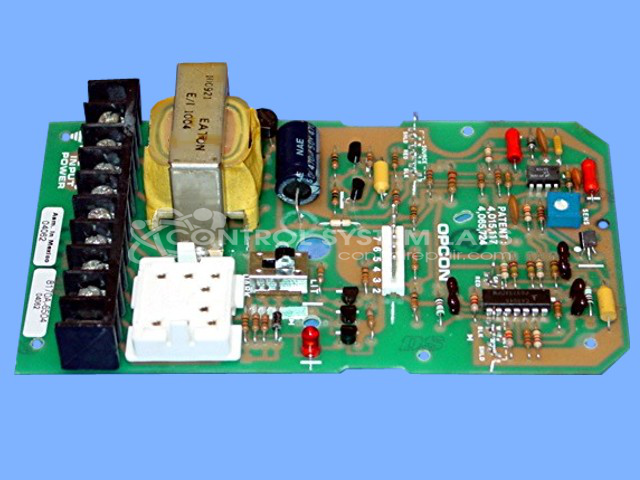
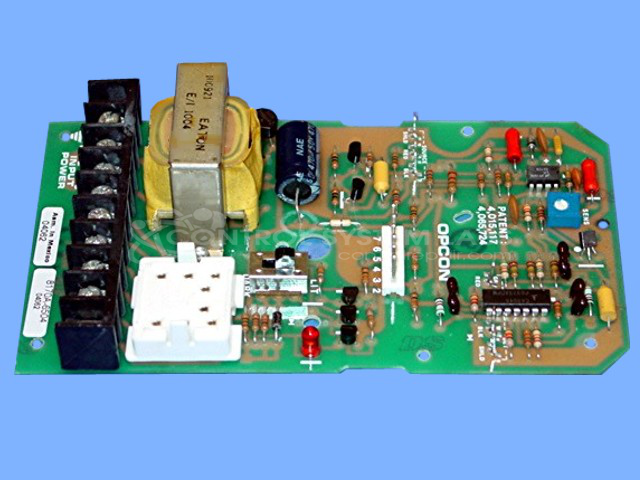
Product Overview: The Opcon 8170A-6504 is a demodulator board used in photoelectric sensor systems for industrial automation. It processes signals from optical detectors and controls a 12V relay output based on beam detection, with selectable Dark or Light operate modes. The board features an adjustable sensitivity potentiometer and generates a 70-microsecond 12V pulse for the source output. Commonly found in paper manufacturing and material handling equipment, it interfaces with photoelectric sensors to detect product presence, web breaks, or edge position. The board includes quick disconnect terminals for field wiring and typically operates without requiring an external output device.
Category: Operator Interface
Manufacturer: Opcon
Manufacturer Part Number: 8170A-6504
Also Known As(AKA): 101272-01-21
Customer to provide own Output Device.
Common Failures
Two common issues have been identified in the repair history for this product. One is physical damage to the detector terminal, which can include broken terminals and missing screws. The other issue pertains to the sensitivity potentiometer being adjusted beyond the functional range, which can prevent the unit from activating properly.
Repair Approach
Repairs have involved reinforcing the connection point for the terminal using a plated through-hole repair kit. Terminals are replaced when necessary. The sensitivity potentiometer is carefully readjusted to restore functionality. Inspection has confirmed that the absence of certain screws is consistent with the original design.
Testing & Quality
Each repaired unit undergoes thorough testing to verify that the 12V relay output activates properly in different modes and to confirm the operational status of the sensitivity potentiometer. Testing also verifies that the transformer is functioning correctly.
Service and repair your broken Opcon part
We can repair your Opcon model 8170A-6504 in our facility. Let our skilled technicians get your Opcon back in operation quickly.
Step 1 - Click the green 'Repair Now' button above to add the part and then complete the RMA.
Step 2 - The RMA form will be sent to you via email. Print the RMA form and put it in a box with the item(s) for repair.
Step 3 - Ship or mail the box to the address listed on the RMA.
Once the user has seen at least one product this snippet will be visible.