



Repair
Repair Price: $ 1,908.00
Purchase
CSL Part Number: 31393
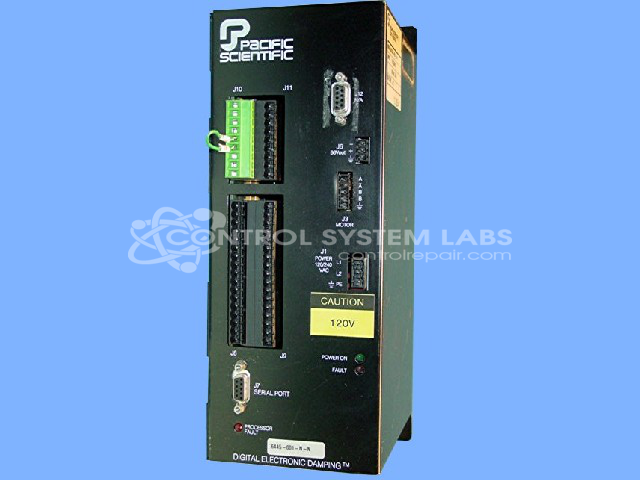
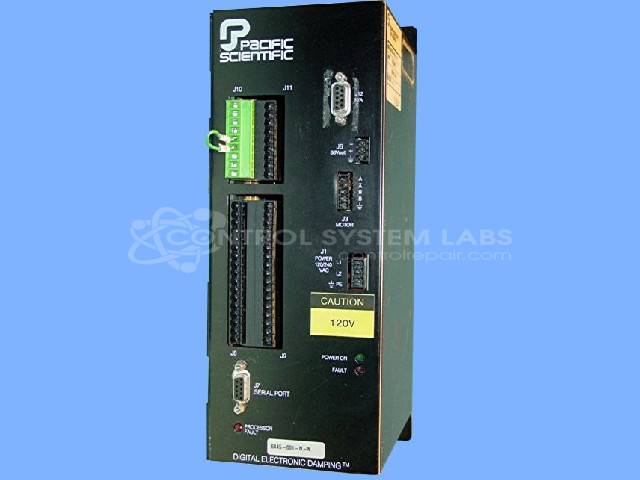
Product Overview: The Pacific Scientific 6445-001-K-N is a digital microstepping indexer and drive that provides precise motor control through electronic damping technology. It uses microstepping to achieve smooth motion and positioning in stepper motor applications. This drive is commonly found in paper handling equipment, packaging machinery, and automated manufacturing systems where accurate incremental motion control is required. The unit features serial communication capability and integrated control logic for coordinating motor movement with upstream process signals.
Category: Motor Controls
Manufacturer: Pacific Scientific
Manufacturer Part Number: 6445-001-K-N
Series: Digital Damping Microstepping Indexer / Drive
Common Failures
Issues with this product commonly include drive faults and a "clam not ready" error. Additionally, some units experience communication failures via the serial port.
Repair Approach
Repairs typically involve diagnosing and replacing defective components. This can include optocouplers and transistors on the secondary power board, as well as preventative replacement of small electrolytic capacitors.
Testing & Quality
Failed diagnostic testing can indicate defective components such as optocouplers. Huntron testing is used in the diagnostic process to evaluate component functionality. Some units may be deemed Beyond Economic Repair (BER) and returned unrepaired.
Service and repair your broken Pacific Scientific part
We can repair your Pacific Scientific model 6445-001-K-N in our facility. Let our skilled technicians get your Pacific Scientific back in operation quickly.
Step 1 - Click the green 'Repair Now' button above to add the part and then complete the RMA.
Step 2 - The RMA form will be sent to you via email. Print the RMA form and put it in a box with the item(s) for repair.
Step 3 - Ship or mail the box to the address listed on the RMA.
Once the user has seen at least one product this snippet will be visible.