




Repair
Repair Price: $ 312.00
Purchase
CSL Part Number: 59314
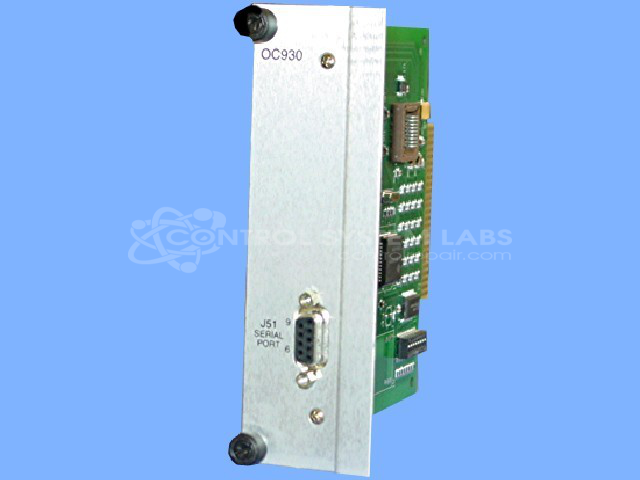
Product Overview: The OC930-001-00 is a communication interface option card designed for Pacific Scientific SC900 Series servo drives. It enables PC-based configuration and parameter adjustment of the servo drive through a direct computer connection. The card provides digital communication capabilities, allowing users to modify drive settings, monitor performance, and save configuration parameters. It is typically used in industrial automation systems where remote programming or diagnostic access to the servo drive is required, such as in manufacturing equipment, packaging machinery, and material handling systems.
Category: Servo Controls
Manufacturer: Pacific Scientific
Manufacturer Part Number: OC930-001-00
Need the SC902 or SC903 Servo Control included for this repair.
Common Failures
Units may exhibit issues where the device powers on but the keyboard does not respond.
Repair Approach
Repair work may include inspection and cleaning of contacts. During evaluation, we verify that the board communicates correctly with the computer and allows for drive settings adjustments.
Testing & Quality
The device undergoes comprehensive testing, including a Burn-In Test with Load, to verify reliability. We confirm that the unit communicates with the computer and saves settings changes before return.
Service and repair your broken Pacific Scientific part
We can repair your Pacific Scientific model OC930-001-00 in our facility. Let our skilled technicians get your Pacific Scientific back in operation quickly.
Step 1 - Click the green 'Repair Now' button above to add the part and then complete the RMA.
Step 2 - The RMA form will be sent to you via email. Print the RMA form and put it in a box with the item(s) for repair.
Step 3 - Ship or mail the box to the address listed on the RMA.
Once the user has seen at least one product this snippet will be visible.