


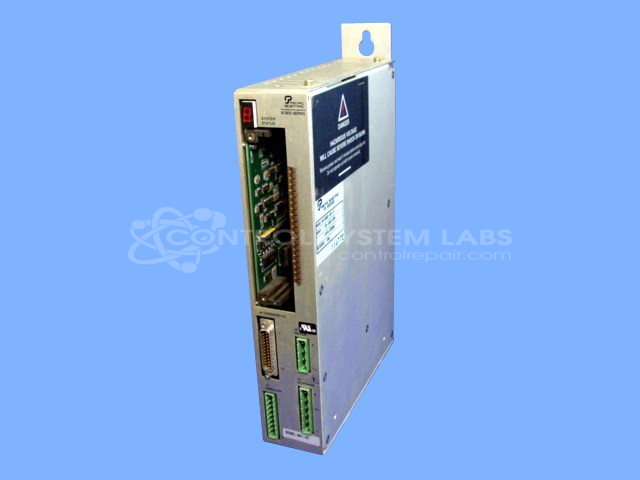


Repair
Repair Price: $ 1,832.00
Purchase
CSL Part Number: 29757
Product Overview: A programmable servo drive rated at 3.75A continuous output, configured without an option card. It controls brushless servo motors for precise motion in industrial automation, including paper handling and converting equipment. Features onboard programming for position and velocity control, compatible with standard servo motors.
Category: Servo Controls
Manufacturer: Pacific Scientific
Manufacturer Part Number: SC902-001-01 W/O OC950
Common Failures
Frequent issues include the F3 error, related to program location being out of tolerance. Other noted problems are failed components on the driver board, and defective micro boards causing output failures.
Repair Approach
For the F3 error, repairs involve resetting out-of-tolerance program locations to default values. Additionally, jig construction for operational testing and specific program adjustments are implemented. In cases where driver board components have failed, replacement of output transistors may be performed. However, some issues like defective micro boards may be beyond economic repair, and the unit may be returned unrepaired.
Testing & Quality
After repairs, operations are verified using comprehensive testing with servo motors over extended periods to confirm functionality. Typical verification testing may run approximately two hours to confirm resolution of issues like the F3 error.
Service and repair your broken Pacific Scientific part
We can repair your Pacific Scientific model SC902-001-01 W/O OC950 in our facility. Let our skilled technicians get your Pacific Scientific back in operation quickly.
Step 1 - Click the green 'Repair Now' button above to add the part and then complete the RMA.
Step 2 - The RMA form will be sent to you via email. Print the RMA form and put it in a box with the item(s) for repair.
Step 3 - Ship or mail the box to the address listed on the RMA.
Once the user has seen at least one product this snippet will be visible.