


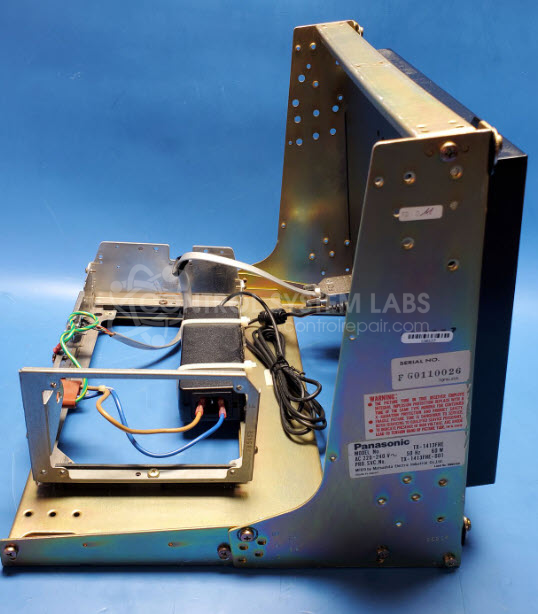
Panasonic TX-1413FHE-LCD 14" Industrial Color monitor with LCD upgrade
Repair
Call for price
Purchase
CSL Part Number: 87228
Product Overview: The Panasonic TX-1413FHE-LCD is a 14-inch industrial color monitor featuring an LCD upgrade from the original CRT design. It serves as a display interface for industrial machinery and process control applications, commonly found in plastic injection molding equipment such as ENGEL machines. The monitor includes control electronics housed on a dedicated PCB and provides reliable visual feedback for machine operators in manufacturing environments. Its industrial-grade construction makes it suitable for continuous operation in factory settings.
Category: Monitors
Manufacturer: Panasonic
Manufacturer Synonyms: Matsushita
Manufacturer Part Number: TX-1413FHE-LCD
Found on Engel Machines. Repair price shown. Contact us for LCD Upgrades which require your complete chasis for the upgrade.
Common Failures
Customers often report issues with the LCD screen not displaying any content on ENGEL molding machines. Symptoms include a blank screen and a flashing red power light, indicating that the system is not powering up correctly. These issues are frequently traced back to defective components on the monitor control PCB.
Repair Approach
The repair process involves diagnosing the issue through evaluation. In several cases, defective capacitors on the monitor control PCB have been identified. After diagnosis, faulty components are replaced to restore functionality. The possibility of issues with the backlight is also considered during evaluation.
Testing & Quality
After completing repairs, comprehensive diagnostic tests are conducted, including overnight burn-in testing to help ensure reliability. This thorough testing process helps verify that the repair has addressed the reported issues.
Repair your broken Panasonic part
We can repair your Panasonic model TX-1413FHE-LCD .
Please note: our repair turnaround time may be longer than our standard lead times for this item.
Step 1 -
Click the green button above, "Repair Now," and add to your RMA.
Step 2 -
Print the RMA form that is emailed to you, and put it in a box with the parts for repair.
Step 3 -
Mail the box to the address on the RMA.
You will be sent an authorization for repair via email. Your approval is needed before any work is started.
Once the user has seen at least one product this snippet will be visible.