


Pandjiris Unknown Pendant
Repair
Call for price
Purchase
CSL Part Number: 105195
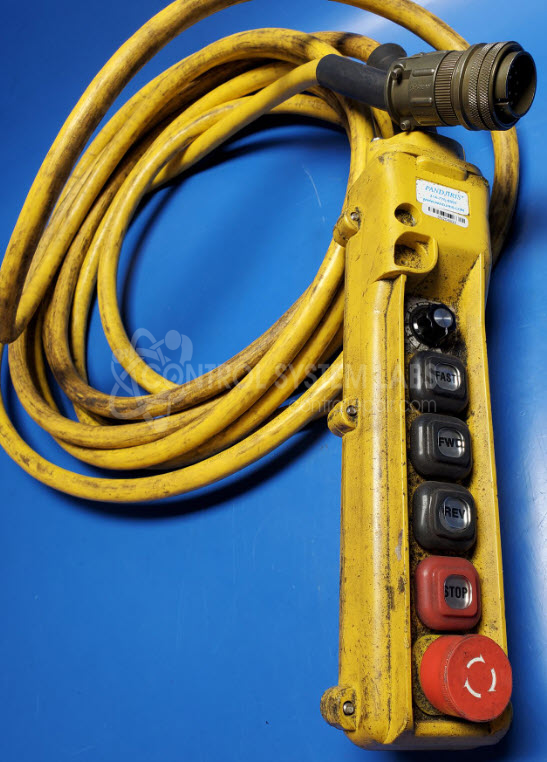
Product Overview: The Pandjiris pendant is a handheld control interface for welding turning roll systems used in pipe and vessel fabrication. It features pushbuttons and a potentiometer for variable speed control of workpiece rotation during welding operations. The pendant connects via a 17-pin circular connector to the turning roll control system. It allows operators to adjust rotational speed precisely, which is critical when welding different pipe diameters and thicknesses. Common applications include automated and semi-automated circumferential welding of pipes, tanks, and pressure vessels in fabrication shops.
Category: Robotic
Manufacturer: Pandjiris
Manufacturer Synonyms: Panjiris Weldmant
Manufacturer Part Number: Unknown
Series: PANDJIRIS Turning Roll Controls
Control System Labs can repair and test this Pendant.
Common Failures
Common issues reported include connector assembly concerns and feed rate inconsistencies at lower speeds. In some cases, full speed may be the only consistent operational level.
Repair Approach
Repairs typically involve component replacement or adjustment based on evaluation findings. When feed rate issues are identified, recalibration may be performed to restore variable speed functionality across operating settings.
Testing & Quality
After repairs, units undergo functional testing to verify operation. Testing includes verification of pushbutton and potentiometer functions to confirm correct operation and orientation.
Service and repair your broken Pandjiris part
We can repair your Pandjiris model Unknown in our facility. Let our skilled technicians get your Pandjiris back in operation quickly.
Step 1 - Click the green 'Repair Now' button above to add the part and then complete the RMA.
Step 2 - The RMA form will be sent to you via email. Print the RMA form and put it in a box with the item(s) for repair.
Step 3 - Ship or mail the box to the address listed on the RMA.
Once the user has seen at least one product this snippet will be visible.