




Repair
Repair Price: $ 9,684.00
Purchase
CSL Part Number: 88237
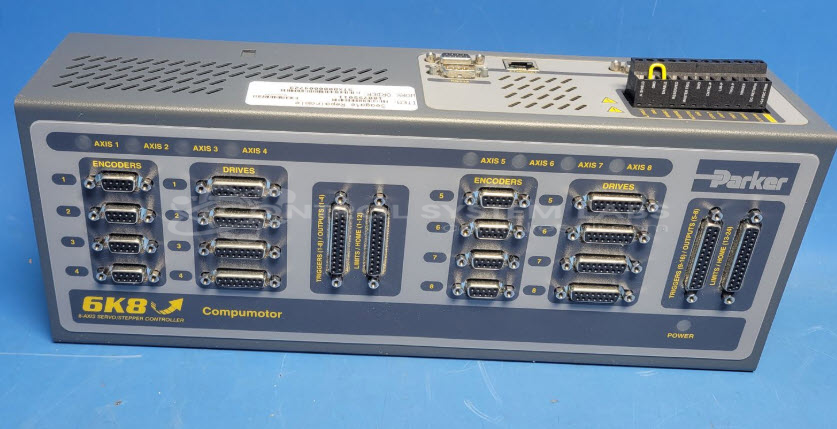
Product Overview: The Parker 6K8-NK is an 8-axis stepper and servo motor controller from Parker's 6K Series. It manages motion control for up to eight axes simultaneously, coordinating position, velocity, and homing functions. Common applications include paper handling machinery and other multi-axis automation systems. The controller features encoder inputs, limit and home switches for each axis, and communicates via RS-232 serial and Ethernet interfaces. Configuration and programming are performed using Parker's Motion Planner software.
Category: Servo Controls
Manufacturer: Parker
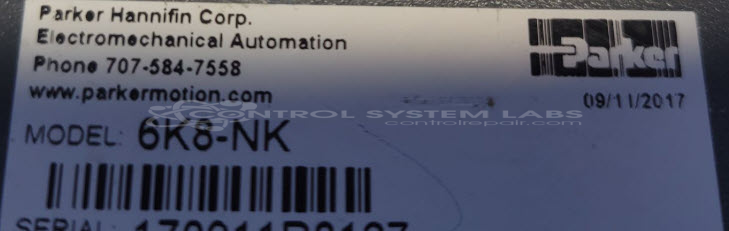
Manufacturer Part Number: 6K8-NK
Series: Parker 6K Series
Common Failures
One reported concern involved the Axis 1 "Home" input not functioning correctly. Testing revealed that the Axis 1 "Home" input operated normally during evaluation, suggesting the issue may be intermittent or related to external factors. Additionally, a non-volatile memory error was detected during initial power-up and was cleared with a reset.
Repair Approach
Preventative maintenance included the replacement of several electrolytic capacitors. This step was taken as a precaution based on component condition observed during evaluation. The unit was disassembled to facilitate these replacements and then reassembled for further testing.
Testing & Quality
Diagnostics were conducted using Motion Planner software. Inputs for all eight axes, including "Home", "Pos Limit", and "Neg Limit", were tested and functioned as expected. Additional tests included using an encoder simulator to validate the functionality of the eight encoder inputs. Following component replacement, a burn-in test was performed for four hours, confirming all inputs were operational. The repair was verified through functionality testing.
Service and repair your broken Parker part
We can repair your Parker model 6K8-NK in our facility. Let our skilled technicians get your Parker back in operation quickly.
Step 1 - Click the green 'Repair Now' button above to add the part and then complete the RMA.
Step 2 - The RMA form will be sent to you via email. Print the RMA form and put it in a box with the item(s) for repair.
Step 3 - Ship or mail the box to the address listed on the RMA.
Once the user has seen at least one product this snippet will be visible.