



Repair
Repair Price: $ 1,328.00
Purchase
CSL Part Number: 109190
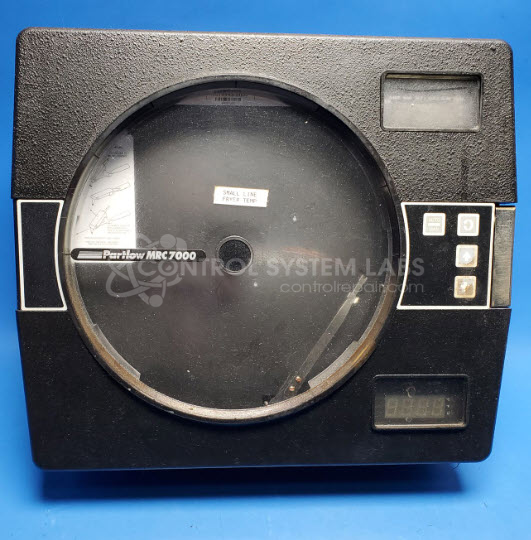
Product Overview: The MRC 7200 is a two-pen circular chart recorder used for continuous monitoring, control, and profiling of industrial processes. It records variables such as temperature, pressure, and flow on circular charts, providing a visual history of process conditions over time. Commonly found in manufacturing, HVAC, pharmaceutical, and food processing applications where documentation and trend analysis are essential. The unit features dual pens for tracking two separate inputs simultaneously, front-panel controls for configuration, and digital displays for real-time readings. It accepts standard thermocouple, RTD, and process signal inputs.
Category: Chart Recorder / Data Logger
Manufacturer: Partlow
Manufacturer Synonyms: Despatch
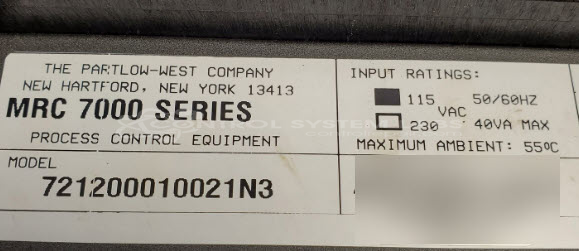
Manufacturer Part Number: 721200010021N3
Series: MRC 7000 Circular Chart Recorder
Common Failures
One of the primary symptoms reported for this product is that the buttons are non-responsive, and the bottom display exhibits unusual characters or goes blank when buttons are pressed. This problem is often associated with the bottom display assembly.
Repair Approach
The typical repair process involves evaluation and replacement of components associated with the bottom display assembly as needed. In some cases, cleaning and calibration verification may also be performed.
Testing & Quality
Following repair, the product undergoes burn-in testing and functional verification to confirm proper operation before being returned to the customer.
Service and repair your broken Partlow part
We can repair your Partlow model 721200010021N3 in our facility. Let our skilled technicians get your Partlow back in operation quickly.
Step 1 - Click the green 'Repair Now' button above to add the part and then complete the RMA.
Step 2 - The RMA form will be sent to you via email. Print the RMA form and put it in a box with the item(s) for repair.
Step 3 - Ship or mail the box to the address listed on the RMA.
Once the user has seen at least one product this snippet will be visible.