




Repair
Repair Price: $ 1,200.00
Purchase
CSL Part Number: 66983
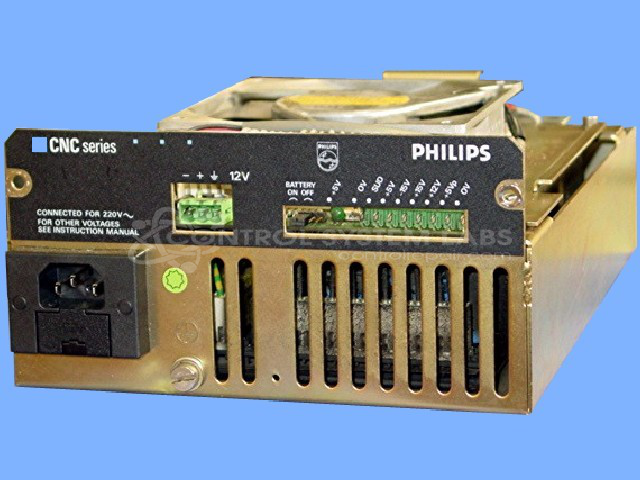
Product Overview: A multi-output industrial power supply delivering regulated DC voltages of 5V at 10A, 12V at 2.2A, and dual 15V at 0.2A outputs. It powers control electronics in CNC machine tools and industrial automation systems, featuring onboard voltage regulation and cooling fan.
Category: Power Supply
Manufacturer: Philips
Manufacturer Part Number: PE-1928/71
Also Known As(AKA): PE1928/71
Common Failures
This product commonly experiences failures in its voltage regulator, resistors, fans, and electrolytic capacitors. There are also reports of battery issues. Specific symptoms include voltage regulators and resistors falling out of specification, worn bearings in fans, and depleted batteries.
Repair Approach
Repairs typically involve replacing faulty components such as fans, resistors, voltage regulators, electrolytic capacitors, and batteries as needed. Our team focuses on restoring the product to serviceable operational status by addressing each faulty part identified during evaluation.
Testing & Quality
After repairs, all voltages are checked to ensure they meet the required specifications. Products are also tested under load conditions for 12 hours to verify reliability and quality. This thorough testing process helps confirm that the repair has been completed and that the product is functioning as expected.
Service and repair your broken Philips part
We can repair your Philips model PE-1928/71 in our facility. Let our skilled technicians get your Philips back in operation quickly.
Step 1 - Click the green 'Repair Now' button above to add the part and then complete the RMA.
Step 2 - The RMA form will be sent to you via email. Print the RMA form and put it in a box with the item(s) for repair.
Step 3 - Ship or mail the box to the address listed on the RMA.
Once the user has seen at least one product this snippet will be visible.