




Repair
Repair Price: $ 1,320.00
Purchase
CSL Part Number: 35327
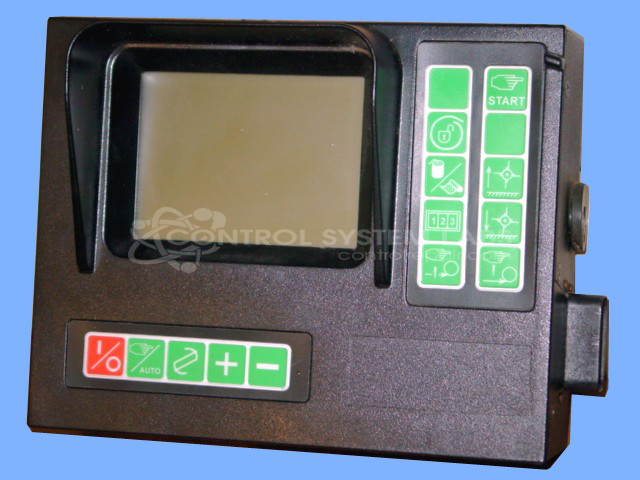
Product Overview: An operator interface control box for agricultural hay balers. It monitors the baling process and provides visual and audible alerts, including a buzzer and horn that signal bale completion and net or string tie status. Features a display screen and manual cut-off buttons for operator control.
Category: Operator Interface
Manufacturer: Phoenix International Corp.
Manufacturer Part Number: 700721708 (107850)
Series: Baler
Also Known As(AKA): AGCO CORP. 700721708
Send in your hay baler control for repair. Broken screens will be quoted after evaluation.
Common Failures
Customers have reported several common issues with this product, including malfunctioning buzzers, manual cut-off buttons that stick, and horn failures. There were also instances of significant physical damage, such as destroyed screens and damaged circuit boards, which made repairs unfeasible.
Repair Approach
Repairs generally involved replacing faulty components, such as installing a new speaker for a malfunctioning buzzer and replacing audio alarm sensors. In cases where the damage was extensive, such as after physical accidents, the product was evaluated and a quotation provided, or returned if Beyond Economic Repair.
Testing & Quality
Verification tests were conducted post-repair to ensure issues were resolved. This included component testing and extended burn-in procedures to confirm functionality. Some products were returned without repair when parts were unavailable or damage was beyond repairable limits.
Service and repair your broken Phoenix International Corp. part
We can repair your Phoenix International Corp. model 700721708 (107850) in our facility. Let our skilled technicians get your Phoenix International Corp. back in operation quickly.
Step 1 - Click the green 'Repair Now' button above to add the part and then complete the RMA.
Step 2 - The RMA form will be sent to you via email. Print the RMA form and put it in a box with the item(s) for repair.
Step 3 - Ship or mail the box to the address listed on the RMA.
Once the user has seen at least one product this snippet will be visible.