




Repair
Repair Price: $ 752.00
Purchase
CSL Part Number: 31365
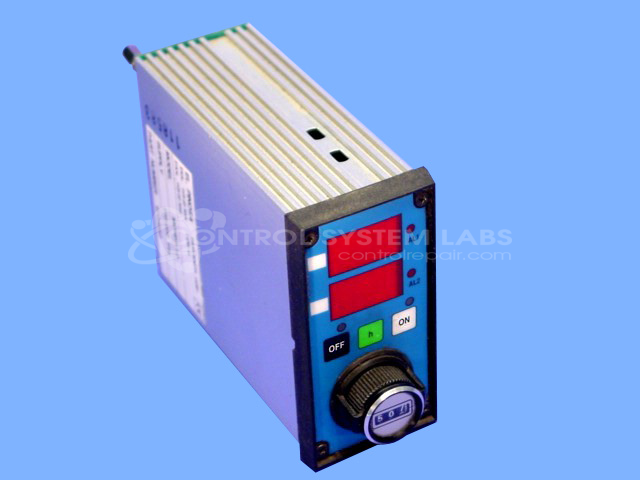
Product Overview: A 1/8 DIN panel-mount DC motor controller used to regulate motor speed in industrial equipment such as paper processing machinery. Features a 10-turn control potentiometer, six-character LED display, adjustable input/output control levels, and alarm outputs for drive monitoring.
Category: Motor Controls
Manufacturer: Pinosa
Manufacturer Part Number: MCH03-2.0
Also Known As(AKA): 9803167 P/N
Common Failures
Typical issues identified include non-functional or dim LED displays, erratic control operations, and faulty dials and potentiometers. These problems often stem from compromised electrolytic capacitors, malfunctioning control circuits, or defective wiring connections to the front panel.
Repair Approach
The repair process may involve replacing components such as electrolytic capacitors in the power supply and main control board, LED display characters, main dial assembly, and the control potentiometer. Additionally, repairs to front panel wiring are common to ensure proper connectivity and function.
Testing & Quality
Each unit undergoes testing after repair, including verification of input/output control levels, alarm outputs, and bench testing. Units are also reset to factory defaults. In cases where repairs are not feasible, the unit may be returned unrepaired or recycled here at no charge at the customer's request.
Service and repair your broken Pinosa part
We can repair your Pinosa model MCH03-2.0 in our facility. Let our skilled technicians get your Pinosa back in operation quickly.
Step 1 - Click the green 'Repair Now' button above to add the part and then complete the RMA.
Step 2 - The RMA form will be sent to you via email. Print the RMA form and put it in a box with the item(s) for repair.
Step 3 - Ship or mail the box to the address listed on the RMA.
Once the user has seen at least one product this snippet will be visible.