




Repair
Call for price
Purchase
CSL Part Number: 74809
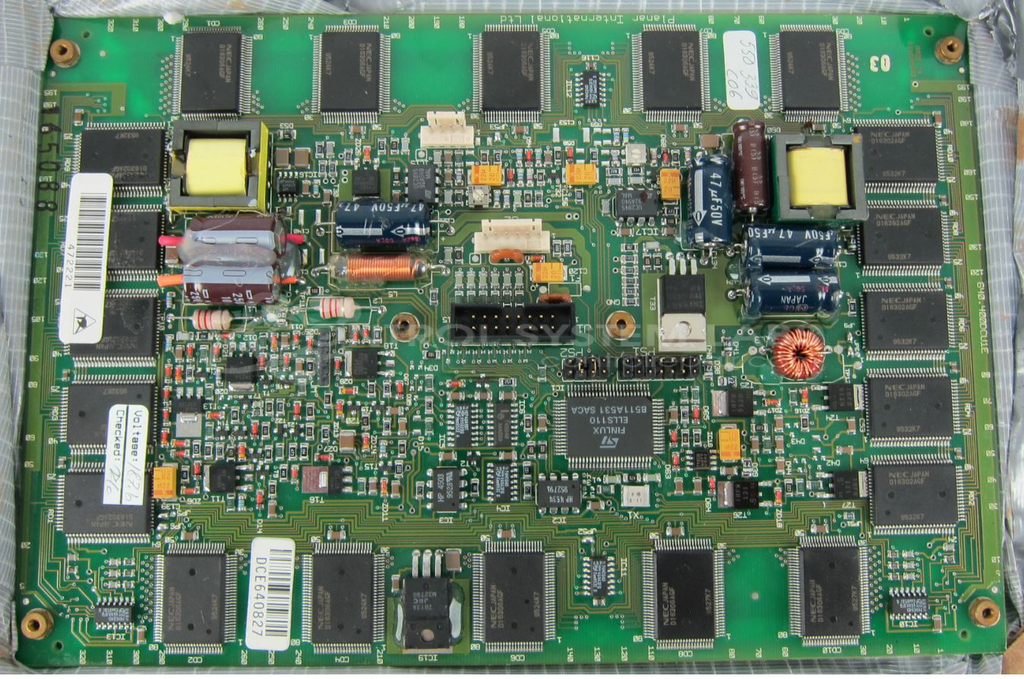
Product Overview: A monochrome electroluminescent (EL) flat panel display with a 640 x 400 pixel resolution. It renders alphanumeric characters and graphics for operator interfaces in industrial control systems and machine panels, offering wide viewing angles and high contrast in demanding environments.
Category: Display
Manufacturer: Planar Systems Inc.
Manufacturer Part Number: 630.400.DCU1E
Can be fully tested at our facility.
Common Failures
One of the recurring issues observed involves display compatibility concerns. In some instances, incorrect screen components have been paired with the unit, resulting in visual irregularities such as missing horizontal lines. While these issues may not significantly affect readability, they can indicate component mismatches that should be addressed.
Repair Approach
When display compatibility issues are identified, we recommend verifying that only compatible components are used. This helps maintain proper functionality and reduces the likelihood of service interruptions.
Testing & Quality
Units are tested using standard test equipment. When visual discrepancies such as missing lines on the display are identified, our team evaluates whether the issue affects functionality. Ensuring correct component compatibility is essential for resolving these types of concerns.
Service and repair your broken Planar Systems Inc. part
We can repair your Planar Systems Inc. model 630.400.DCU1E in our facility. Let our skilled technicians get your Planar Systems Inc. back in operation quickly.
Step 1 - Click the green 'Repair Now' button above to add the part and then complete the RMA.
Step 2 - The RMA form will be sent to you via email. Print the RMA form and put it in a box with the item(s) for repair.
Step 3 - Ship or mail the box to the address listed on the RMA.
Once the user has seen at least one product this snippet will be visible.