



Repair
Repair Price: $ 428.00
Purchase
CSL Part Number: 71616
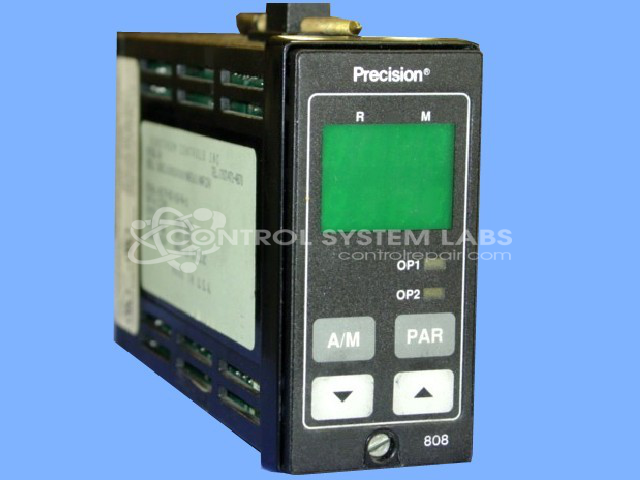
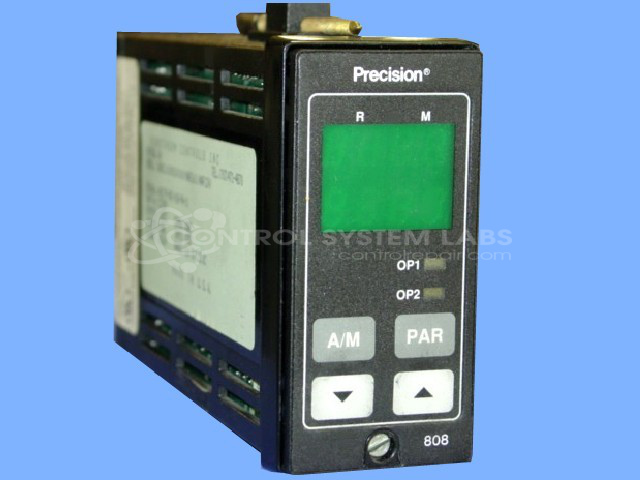
Product Overview: The Eurotherm 808 Series is a 1/8 DIN vertical mount digital temperature controller designed for precision thermal management in laboratory and industrial heating applications. It accepts RTD sensor inputs and provides relay or logic outputs for controlling ovens, furnaces, and similar thermal equipment. The controller features programmable alarm functions and supports both Celsius and Fahrenheit temperature scales. It is commonly found in mechanical convection ovens and other temperature-critical processes requiring accurate setpoint control and monitoring.
Category: Temperature Control
Manufacturer: Precision
Alternate Manufacturer Names: EUROTHERM
Manufacturer Part Number: 808/L1/0/R1/0/0/0/(@AE102)
Series: 808 and 847 Series Digital Controller
Other Synonyms: EUROTHERM
The Eurotherm 808/847 Series comes in an assortment of configurations. Please submit your device using the exact part number or use this number if the exact number can not be found.
Common Failures
Units received for evaluation have included reports of no power, blank display, and no response to input buttons. These conditions can affect the controller's ability to manage oven temperature.
Repair Approach
Evaluation may identify defective components such as MOSFETs and electrolytic capacitors. Repairs may involve the replacement of these components. In some cases, excessive damage from component failure may render a unit Beyond Economic Repair.
Testing & Quality
Repaired units undergo comprehensive diagnostic testing to verify proper functionality. Testing may include verification of settings such as RTD sensor configuration and alarm outputs. Some units received for evaluation cannot be repaired due to extensive component damage.
Service and repair your broken Precision part
We can repair your Precision model 808/L1/0/R1/0/0/0/(@AE102) in our facility. Let our skilled technicians get your Precision back in operation quickly.
Step 1 - Click the green 'Repair Now' button above to add the part and then complete the RMA.
Step 2 - The RMA form will be sent to you via email. Print the RMA form and put it in a box with the item(s) for repair.
Step 3 - Ship or mail the box to the address listed on the RMA.
Once the user has seen at least one product this snippet will be visible.