




Repair
Repair Price: $ 1,488.00
Purchase
CSL Part Number: 68429
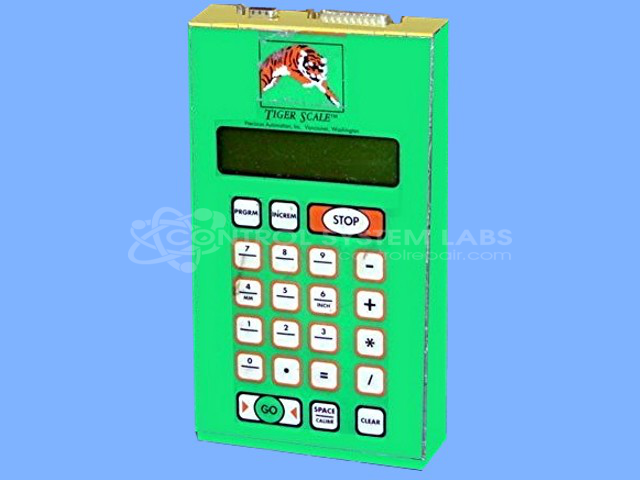
Product Overview: A handheld operator pendant and control interface for an automated length-positioning system used in cutting and sawing equipment. It features a display, control switches, battery-backup memory, and serial communication with a PC. Works in conjunction with a matched amplifier module for machine positioning control.
Category: Operator & Control Panels
Manufacturer: Precision Automation
Manufacturer Part Number: TIGER STOP 2.11B
Requires matching Amplifier 2A for this repair.
Common Failures
Common issues reported by customers include problems with the screen display and error messages such as "FX 0M." These symptoms may indicate issues with internal components that require evaluation.
Repair Approach
Repairs may involve replacing the battery-backup memory module and ensuring components such as the ROM and CPU assembly are cleaned and reseated. All functions, including serial communications and switch operations, are tested to verify proper functionality.
Testing & Quality
Units undergo a comprehensive functional check. Complete testing may require the amplifier module mate and interconnecting cable, as not all units are interchangeable with different amplifier modules. Units are tested to the extent possible with available equipment and are evaluated for serviceability based on the results of those tests.
Service and repair your broken Precision Automation part
We can repair your Precision Automation model TIGER STOP 2.11B in our facility. Let our skilled technicians get your Precision Automation back in operation quickly.
Step 1 - Click the green 'Repair Now' button above to add the part and then complete the RMA.
Step 2 - The RMA form will be sent to you via email. Print the RMA form and put it in a box with the item(s) for repair.
Step 3 - Ship or mail the box to the address listed on the RMA.
Once the user has seen at least one product this snippet will be visible.