




Repair
Repair Price: $ 1,272.00
Purchase
CSL Part Number: 86471
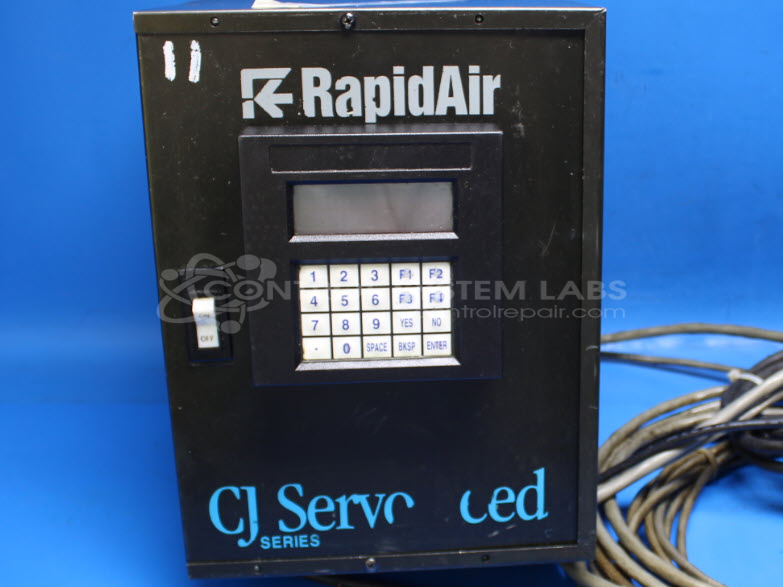
Product Overview: A servo feed controller combining a digital keypad interface with an integrated servo drive and power supply to precisely position and advance material in automated feeding operations. Commonly used with coil and sheet feeding equipment, it stores programmable presets and drives a servo motor for repeatable, measured feed lengths.
Category: Control Assembly
Manufacturer: Rapid-Air Corporation
Manufacturer Part Number: 104CJ
Common Failures
Customers frequently report issues such as error codes related to power supply failures and instances where the servo motor fails to turn on despite power being detected. These issues often stem from power supply performance or component malfunctions within the drive system.
Repair Approach
The repair process typically involves verifying the problem, isolating the fault to specific components, and replacing defective parts as needed. Technicians thoroughly inspect and disassemble the drive systems, remove faulty parts, and replace them. Attention to detail in cable management and system reassembly supports proper operation.
Testing & Quality
Following repairs, testing is conducted to verify resolution of the issues. This includes checking the power supply performance, ensuring components are functioning without faults, and confirming that motors operate correctly. Quality checks are performed to help prevent recurrence of the problems.
Service and repair your broken Rapid-Air Corporation part
We can repair your Rapid-Air Corporation model 104CJ in our facility. Let our skilled technicians get your Rapid-Air Corporation back in operation quickly.
Step 1 - Click the green 'Repair Now' button above to add the part and then complete the RMA.
Step 2 - The RMA form will be sent to you via email. Print the RMA form and put it in a box with the item(s) for repair.
Step 3 - Ship or mail the box to the address listed on the RMA.
Once the user has seen at least one product this snippet will be visible.