



Repair
Repair Price: $ 874.00
Purchase
CSL Part Number: 31895
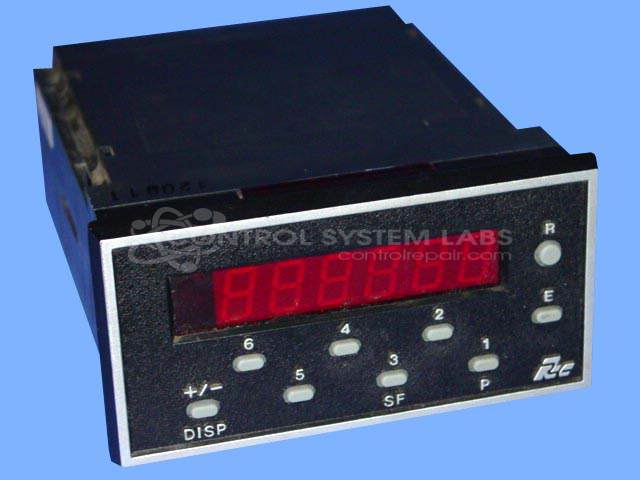
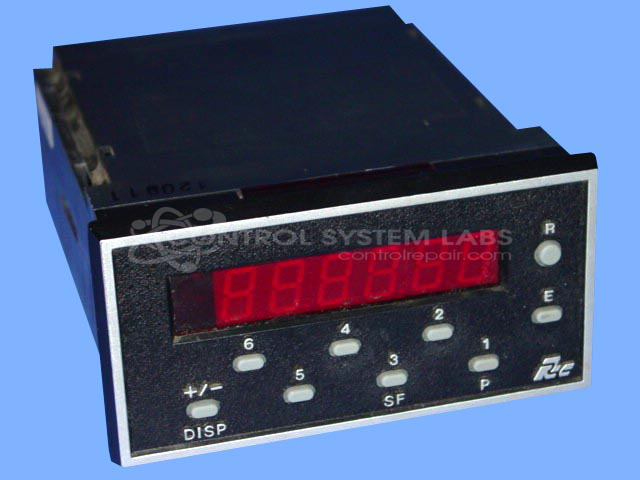
Product Overview: The Gemini 1000 Counter with Relay Board is a programmable digital counter manufactured by Red Lion. It features input counting capabilities and integrated relay outputs for control applications. Commonly used in manufacturing, packaging, and process control environments to count events, parts, or cycles and trigger downstream equipment or alarms based on programmable setpoints. The unit includes a front keypad for programming and operates with standard digital input signals.
Category: Counters
Manufacturer: Red Lion
Manufacturer Part Number: GEM-10-060
Series: Gemini 1000 Counter
Also Known As(AKA): GEM10060
Keypad replacement, if required, will be quoted after evaluation.
Common Failures
Customers have reported issues with the counter input, specifically a concern that the "A" input was not functioning correctly. Additionally, checks were conducted on the front keypad to ensure all keys were responsive.
Repair Approach
Diagnostic testing confirmed that both the "A" input and the front keypad were functioning normally. Although the transformer emitted a burned smell, it appeared visually acceptable and tested within normal parameters. The keypad was also determined to be serviceable, with follow-up evaluation available if needed.
Testing & Quality
Testing was performed, including a burn-in test for four hours with the counter attached, which revealed no issues. All functions, such as inputs, outputs, and counting, were operating as expected. This was verified through standardized test procedures.
Service and repair your broken Red Lion part
We can repair your Red Lion model GEM-10-060 in our facility. Let our skilled technicians get your Red Lion back in operation quickly.
Step 1 - Click the green 'Repair Now' button above to add the part and then complete the RMA.
Step 2 - The RMA form will be sent to you via email. Print the RMA form and put it in a box with the item(s) for repair.
Step 3 - Ship or mail the box to the address listed on the RMA.
Once the user has seen at least one product this snippet will be visible.