


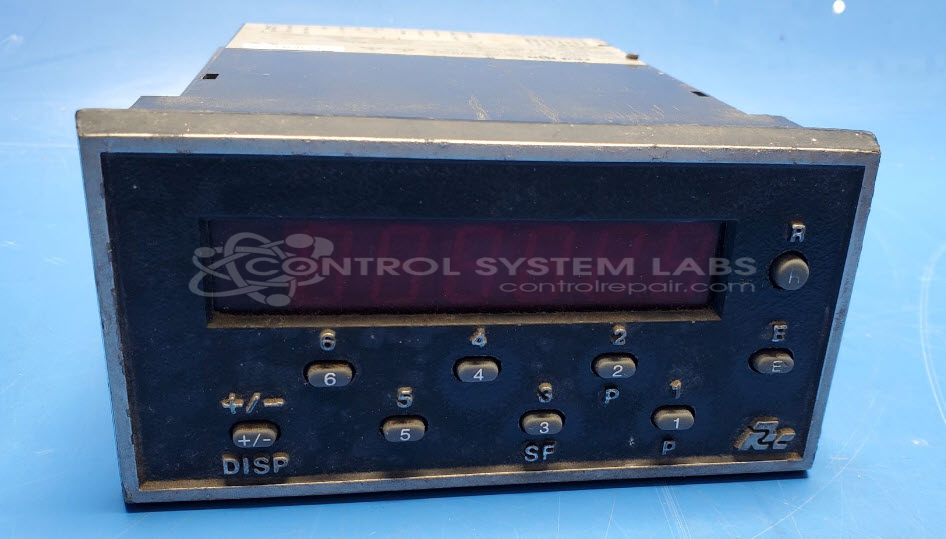
Red Lion GEM20060 Gemini 2000 Counter
Repair
Repair Price: $ 514.00
Purchase
CSL Part Number: 72342
Product Overview: The Gemini 2000 (GEM20060) is a panel-mount electronic counter from Red Lion used for tallying events, cycles, or production runs in industrial automation and manufacturing equipment. It features front-panel buttons for reset and programming functions, accepts digital input signals for counting, and provides visual readout of accumulated counts. Common applications include packaging lines, material handling systems, and assembly machinery where operators need to track part quantities or process cycles.
Category: Counters
Manufacturer: Red Lion
Manufacturer Part Number: GEM20060
Series: Gemini 2000 Series Counter
Also Known As(AKA): GEM-20-060
Keypad replacement, if required, will be quoted after evaluation
Common Failures
Common issues reported include non-functioning buttons, counting malfunctions, and reset button failures. These problems are often traced to dirt and corrosion affecting button contacts or component malfunctions.
Repair Approach
Repairs typically involve cleaning beneath button membranes to remove dirt and corrosion. Component replacement, such as capacitors, and diagnostic testing for defective components like op-amps are also performed as needed to restore functionality.
Testing & Quality
All repaired units undergo thorough testing, including burn-in tests with and without load, to verify reliability. Repaired units are subject to rigorous quality checks to ensure they meet CSL standards.
Service and repair your broken Red Lion part
We can repair your Red Lion model GEM20060 in our facility. Let our skilled technicians get your Red Lion back in operation quickly.
Step 1 - Click the green 'Repair Now' button above to add the part and then complete the RMA.
Step 2 - The RMA form will be sent to you via email. Print the RMA form and put it in a box with the item(s) for repair.
Step 3 - Ship or mail the box to the address listed on the RMA.
Once the user has seen at least one product this snippet will be visible.