




Repair
Repair Price: $ 984.00
Purchase
CSL Part Number: 73566
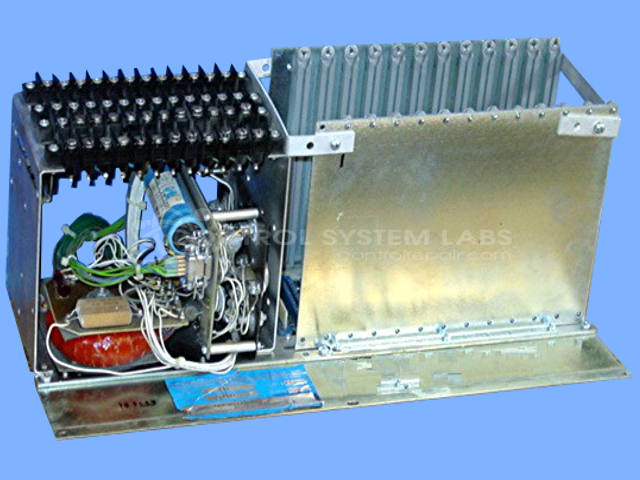
Product Overview: An annunciator base with integrated power supply that provides regulated DC voltages and drives indicator lamps across multiple alarm modules. It serves as the common backplane and power source for annunciator panels used in industrial process monitoring and alarm indication systems, supporting multiple plug-in boards.
Category: Annunciator
Manufacturer: RIS
Manufacturer Synonyms: Rochester Instruments Systems, AMETEK
Manufacturer Part Number: AN-114/98
This repair prices do not include the 12 cards
Common Failures
Common reported issues include power supplies not outputting correct voltage, indicator lights not illuminating, and power-up failures. These conditions may be caused by failed transistors, open fusible resistors, or lamp failures.
Repair Approach
Repairs may involve replacing defective components such as transistors, fusible resistors, capacitors, and lamps. Faulty transistors are replaced with equivalent components. Burnt-out or incorrect lamps are replaced with the correct types. Following component replacement, power supply functionality is verified where possible.
Testing & Quality
Upon completion of repairs, power supplies are tested for correct voltage output where applicable. In some instances, functional testing may be deferred to the customer if required modules are not available during the repair process. Verification of operational integrity is performed to confirm resolution of reported issues.
Service and repair your broken RIS part
We can repair your RIS model AN-114/98 in our facility. Let our skilled technicians get your RIS back in operation quickly.
Step 1 - Click the green 'Repair Now' button above to add the part and then complete the RMA.
Step 2 - The RMA form will be sent to you via email. Print the RMA form and put it in a box with the item(s) for repair.
Step 3 - Ship or mail the box to the address listed on the RMA.
Once the user has seen at least one product this snippet will be visible.