




Repair
Call for price
Purchase
CSL Part Number: 116172
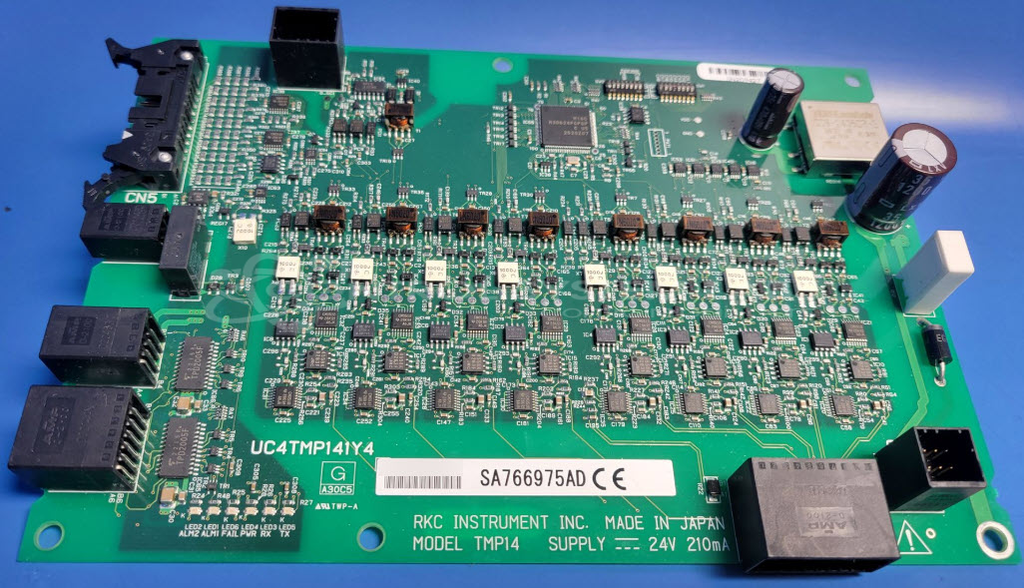
Product Overview: The RKC TMP14 is a control board used in industrial machinery systems. It operates on 24VDC input and provides regulated 5VDC through an onboard DC/DC converter. The board features DIP switch configuration options that determine operational parameters and must be set correctly for proper system recognition. It interfaces with machine controllers and is commonly found in automated manufacturing equipment. Diagnostic access points allow for voltage verification and component-level troubleshooting when integration issues occur.
Category: Control Board
Manufacturer: RKC Instrument
Manufacturer Synonyms: SYSCON
Manufacturer Part Number: TMP14
Also Known As(AKA): UC4TMP141Y4
Please include wiring diagrams and symptoms of problem when sending in.
Common Failures
This product may experience issues with a system error indicating that the "TMP board cannot be recognized." In some cases, this issue has been associated with DIP switch configuration or component concerns on the circuit board.
Repair Approach
When this issue is identified during evaluation, our technicians review DIP switch settings and related components. If a repair is needed, we can provide a quotation before any work begins. The recommended solution may involve verifying or adjusting DIP switch configuration and replacing components as required to restore proper functionality.
Testing & Quality
After repairs are completed, items undergo testing, including power-up checks and burn-in procedures to verify reliability. All repaired units are reviewed before they are returned to the customer.
Limited Repair
The RKC Instrument part number is only available as a limited repair at our facility. Repairs to this item may be limited due to several reasons:
- Availability of parts
- Less than 100% test ability due to required support equipment
To have us attempt a repair on your RKC Instrument part follow these steps:
Step 1 -
Click the Repair Now button above to add the part and complete the RMA form.
Step 2 -
Print the RMA form that is sent to your email, and put it in the box with the parts for repair.
Step 3 -
Mail the box to the address on the RMA.
After we receive your item, we will perform an inspection and an authorization to repair will be sent for your approval. Work will begin after your authorization is received.
Once the user has seen at least one product this snippet will be visible.