




Repair
Repair Price: $ 1,020.00
Purchase
CSL Part Number: 73919
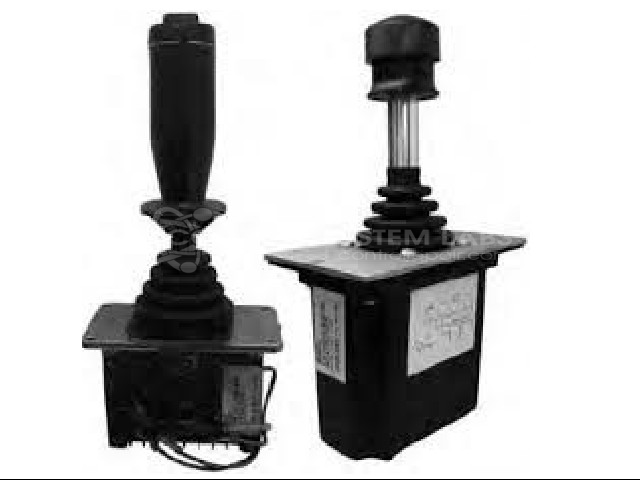
Product Overview: A manually operated electro-mechanical joystick control handle used for proportional directional and speed control in mobile and industrial equipment such as track-driven machinery. It uses internal potentiometers and switches to translate lever movement into control signals, with a protective boot gasket and integrated shifter hardware.
Category: Joystick / Controller
Manufacturer: Sauer-Danfoss
Manufacturer Part Number: MCH22BM1466
Series: MCH Series Joystick - Control Handle
Some repair parts take 2 weeks plus delivery to receive.
Common Failures
Customers frequently report issues with the control system, including the inability to achieve full speed in the drive track. Diagnosed root causes often include faulty switches and cracked potentiometer gears. Corrosion and issues with shifter hardware have also been observed.
Repair Approach
Repairs typically involve replacing defective components such as switches, boot gaskets, and potentiometer gears. In cases of hardware issues, such as popped-out shifter hardware, adjustments and replacements are performed to restore functionality. Cleaning and a thorough system check ensure that switches and related parts operate correctly post-repair.
Testing & Quality
After repairs, a detailed verification process confirms that the reported problems have been addressed. Each unit undergoes a comprehensive quality check to ensure adherence to performance standards before being returned to the customer.
Service and repair your broken Sauer-Danfoss part
We can repair your Sauer-Danfoss model MCH22BM1466 in our facility. Let our skilled technicians get your Sauer-Danfoss back in operation quickly.
Step 1 - Click the green 'Repair Now' button above to add the part and then complete the RMA.
Step 2 - The RMA form will be sent to you via email. Print the RMA form and put it in a box with the item(s) for repair.
Step 3 - Ship or mail the box to the address listed on the RMA.
Once the user has seen at least one product this snippet will be visible.