




Repair
Call for price
Purchase
CSL Part Number: 71779
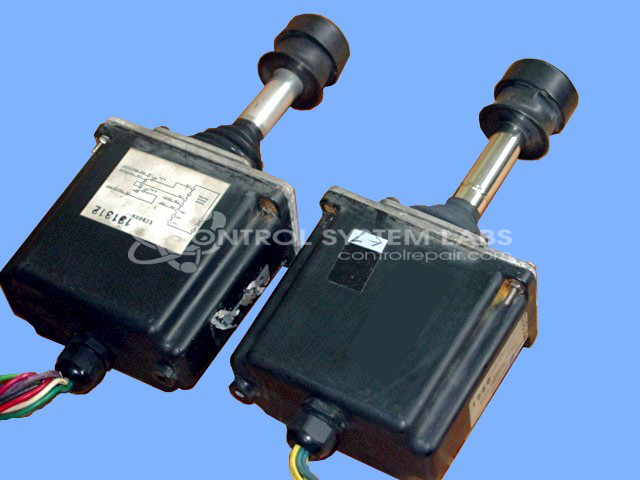
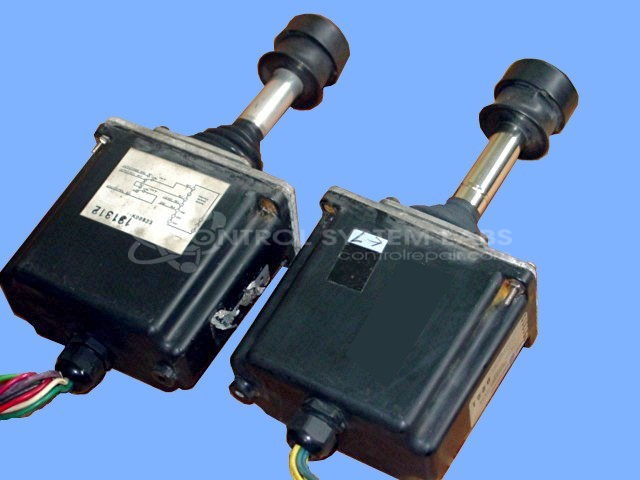
Product Overview: The Sauer-Sundstrand MCH42BL2206 is a proportional control handle joystick from the MCH series, designed for precise directional and speed control in mobile hydraulic equipment. It converts operator hand movements into electrical signals that command hydraulic valve functions. Commonly used in construction machinery, material handling equipment, and other mobile off-highway vehicles, this unit features a center-locking mechanism and sealed construction to withstand harsh industrial environments. The joystick outputs are adjustable and can be configured for proportional control of multiple hydraulic functions simultaneously.
Category: Joystick / Controller
Manufacturer: Sauer-Sundstrand
Manufacturer Part Number: MCH42BL2206
Series: MCH Series Joystick - Control Handle
Some repair parts take 2 weeks plus delivery to receive.
Common Failures
This product may experience intermittent performance due to corrosion and wear on internal components, including gears and protective boots. Regular maintenance can help reduce the likelihood of these issues.
Repair Approach
Repairs typically involve cleaning, inspection, and replacement of affected parts such as seals, boots, and gears as needed to restore functionality. Addressing corrosion is an important step in the repair process.
Testing & Quality
Post-repair testing includes a burn-in procedure with resistive load to verify performance. Outputs are adjusted and tested to confirm forward and reverse functionality.
Service and repair your broken Sauer-Sundstrand part
We can repair your Sauer-Sundstrand model MCH42BL2206 in our facility. Let our skilled technicians get your Sauer-Sundstrand back in operation quickly.
Step 1 - Click the green 'Repair Now' button above to add the part and then complete the RMA.
Step 2 - The RMA form will be sent to you via email. Print the RMA form and put it in a box with the item(s) for repair.
Step 3 - Ship or mail the box to the address listed on the RMA.
Once the user has seen at least one product this snippet will be visible.