




Repair
Repair Price: $ 1,848.00
Purchase
CSL Part Number: 84553
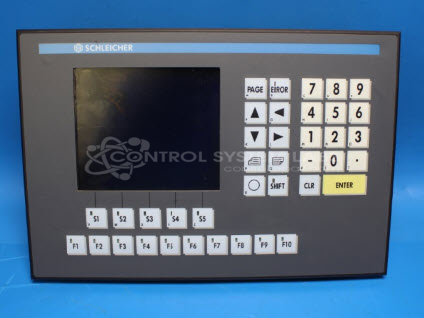
Product Overview: An industrial operator control panel with an integrated LCD display, used for monitoring and controlling automated machinery such as paper processing equipment. It provides a human-machine interface with RS-232 serial communications for data exchange between operators and programmable control systems.
Category: Operator & Control Panels
Manufacturer: Schleicher
Alternate Manufacturer Names: WIELAND
Manufacturer Part Number: UTE2/SPS
Also Known As(AKA): R6.238.0040.1
Other Synonyms: WIELAND
Common Failures
We have observed issues with the display where the backlight is on and communication is functioning, but the screen fails to display characters. Another related problem involves the display lighting up without showing characters, resulting in incorrect display functionality. The main issues identified are a failing LCD display and communication faults with the system.
Repair Approach
The repair process involves replacing obsolete components like the LCD display with a compatible drop-in replacement. In cases of communication issues, specific integrated circuits and capacitors are replaced to restore functionality. Components like the Supply Voltage Supervisor IC and RS-232 driver IC are replaced, along with associated capacitors. Each repair undergoes thorough testing, including overnight burn-in and RS-232 communications verification via loop-back testing.
Testing & Quality
Post-repair, the devices are subjected to rigorous testing protocols to verify the effectiveness of the repair. This includes burning in the device overnight to ensure the new components function correctly and conducting a loop-back test to confirm RS-232 communications are restored. These steps help verify the reliability and continued performance of the repaired units.
Service and repair your broken Schleicher part
We can repair your Schleicher model UTE2/SPS in our facility. Let our skilled technicians get your Schleicher back in operation quickly.
Step 1 - Click the green 'Repair Now' button above to add the part and then complete the RMA.
Step 2 - The RMA form will be sent to you via email. Print the RMA form and put it in a box with the item(s) for repair.
Step 3 - Ship or mail the box to the address listed on the RMA.
Once the user has seen at least one product this snippet will be visible.