



Repair
Repair Price: $ 428.00
Purchase
CSL Part Number: 72759
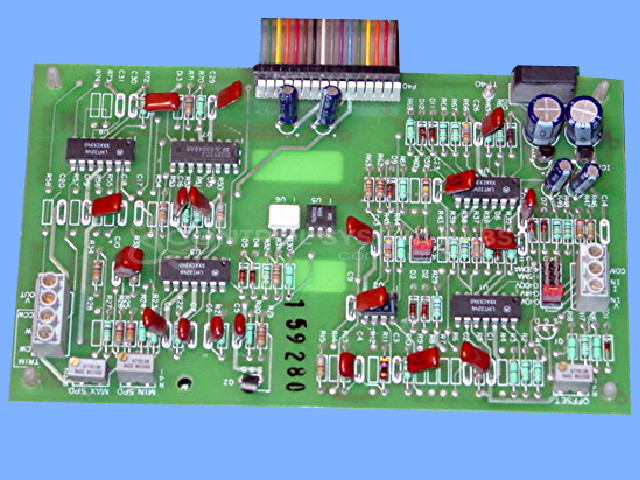
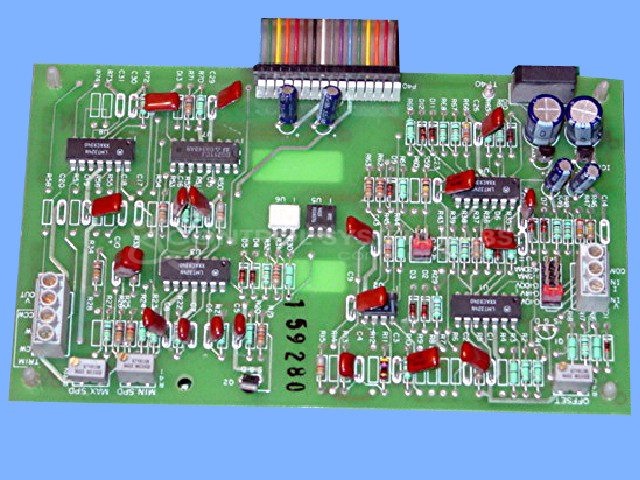
Product Overview: The Quadraline 7000 ISO Signal Input Card is an isolated input daughter board designed for use with SECO Quadraline 7000 Series DC motor drives. It provides galvanic isolation between control signals and the drive, accepting 0-10 VDC input to control motor speed and direction based on input voltage polarity. The board features adjustable minimum and maximum speed calibration potentiometers and is commonly used in paper processing and other industrial DC motor control applications requiring signal isolation.
Category: DC Motor Controls
Manufacturer: SECO
Manufacturer Synonyms: warner electric
Manufacturer Part Number: WD36118-00
Series: Quadraline 7000 Series
Also Known As(AKA): Q7999-1
Common Failures
Reported issues include no or minimal output, shorted components, and defective solder joints. These issues have been traced to components such as transistors and capacitors, as well as poor solder joint connections.
Repair Approach
Technicians perform diagnostic testing using specialized equipment to identify faults. This may include replacing defective components such as transistors and capacitors, reflowing poorly soldered joints, and making necessary adjustments.
Testing & Quality
After repairs, units undergo testing which may include burn-in tests with motors and function generators. Units are verified for functionality, including correct voltage range based on input settings, and are reviewed by technicians to ensure repair quality.
Service and repair your broken SECO part
We can repair your SECO model WD36118-00 in our facility. Let our skilled technicians get your SECO back in operation quickly.
Step 1 - Click the green 'Repair Now' button above to add the part and then complete the RMA.
Step 2 - The RMA form will be sent to you via email. Print the RMA form and put it in a box with the item(s) for repair.
Step 3 - Ship or mail the box to the address listed on the RMA.
Once the user has seen at least one product this snippet will be visible.