




Repair
Repair Price: $ 572.00
Purchase
CSL Part Number: 72501
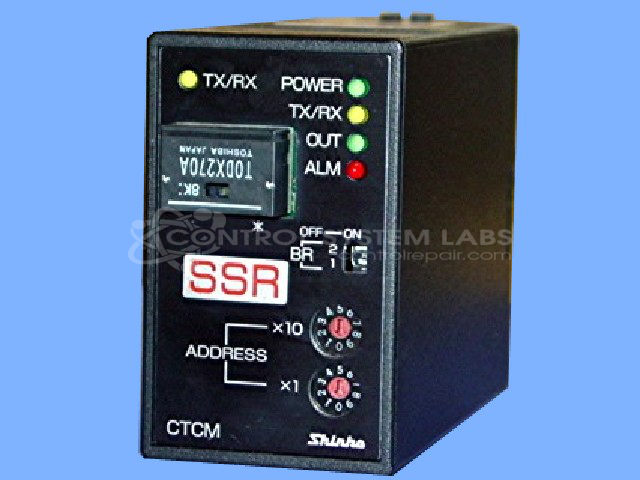
Product Overview: A multidrop temperature control module that regulates process temperature by reading sensor inputs and driving control outputs in industrial heating and process applications. Features an OPTO communication module for networked multidrop configurations, enabling centralized monitoring and control of multiple temperature zones.
Category: Temperature Control
Manufacturer: Shinko
Manufacturer Part Number: CTCM-535-C/E
Series: CTCS CTCM SERIES MULTIDROP TEMPERATURE CONTROLLER
Please include the manual on this when sending in for repair.
Common Failures
Common issues reported by customers include inaccurate temperature readings and communication failures. Inaccurate temperature readings can be difficult to verify during evaluation and may be related to previous repair attempts. Communication failures have often been attributed to faulty opto modules.
Repair Approach
Repair efforts for communication issues typically involve replacing defective components such as opto modules and power supply capacitors. Previous repairs attempted by non-factory personnel can complicate diagnosis and subsequent repairs, as they might have altered critical electronic traces.
Testing & Quality
Following repairs, units undergo thorough testing to verify functionality. This includes calibration, control checks, and extended burn-in periods to confirm the integrity of the repair and the restored operability of the unit.
Service and repair your broken Shinko part
We can repair your Shinko model CTCM-535-C/E in our facility. Let our skilled technicians get your Shinko back in operation quickly.
Step 1 - Click the green 'Repair Now' button above to add the part and then complete the RMA.
Step 2 - The RMA form will be sent to you via email. Print the RMA form and put it in a box with the item(s) for repair.
Step 3 - Ship or mail the box to the address listed on the RMA.
Once the user has seen at least one product this snippet will be visible.