




Repair
Repair Price: $ 508.00
Purchase
CSL Part Number: 107704
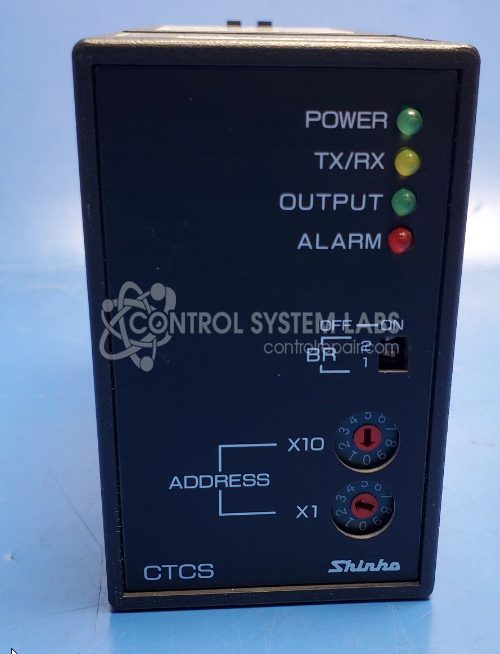
Product Overview: The Shinko CTCS-435-R/ES is an 11-pin plug-in temperature control module designed for industrial process temperature regulation. Part of the CTCS CTCM series, it supports multidrop communication via RS-232 or RS-485 with optocoupler isolation, enabling networked temperature monitoring and control. The unit is field-configurable for 110V or 230V operation and accepts Type K thermocouples for temperature sensing. It provides alarm outputs and setpoint control capabilities, making it suitable for ovens, furnaces, plastics processing equipment, and other applications requiring precise temperature management.
Category: Temperature Control
Manufacturer: Shinko
Manufacturer Part Number: CTCS-435-R/ES
Series: CTCS CTCM SERIES MULTIDROP TEMPERATURE CONTROLLER
This is an 11 Pin Plug-in module
Common Failures
Common issues with this temperature controller include units that remain powered on continuously and communication failures with connected programs, though the alarm circuit typically continues to function. Evaluation may reveal capacitor-related faults among other potential failure modes.
Repair Approach
Repairs may involve capacitor replacement and other component-level work as needed to restore normal operation. CSL addresses wiring issues, communication interface problems, and configuration errors identified during evaluation. Each unit is reviewed individually to determine the appropriate repair scope.
Testing & Quality
Following repair, units undergo functional testing which may include verifying thermocouple input readings, output control at setpoints, program adjustability, and output visibility. Testing is performed using appropriate instrumentation and procedures. All units are inspected and tested before being returned to service.
Service and repair your broken Shinko part
We can repair your Shinko model CTCS-435-R/ES in our facility. Let our skilled technicians get your Shinko back in operation quickly.
Step 1 - Click the green 'Repair Now' button above to add the part and then complete the RMA.
Step 2 - The RMA form will be sent to you via email. Print the RMA form and put it in a box with the item(s) for repair.
Step 3 - Ship or mail the box to the address listed on the RMA.
Once the user has seen at least one product this snippet will be visible.