




Repair
Repair Price: $ 1,664.00
Purchase
CSL Part Number: 81763
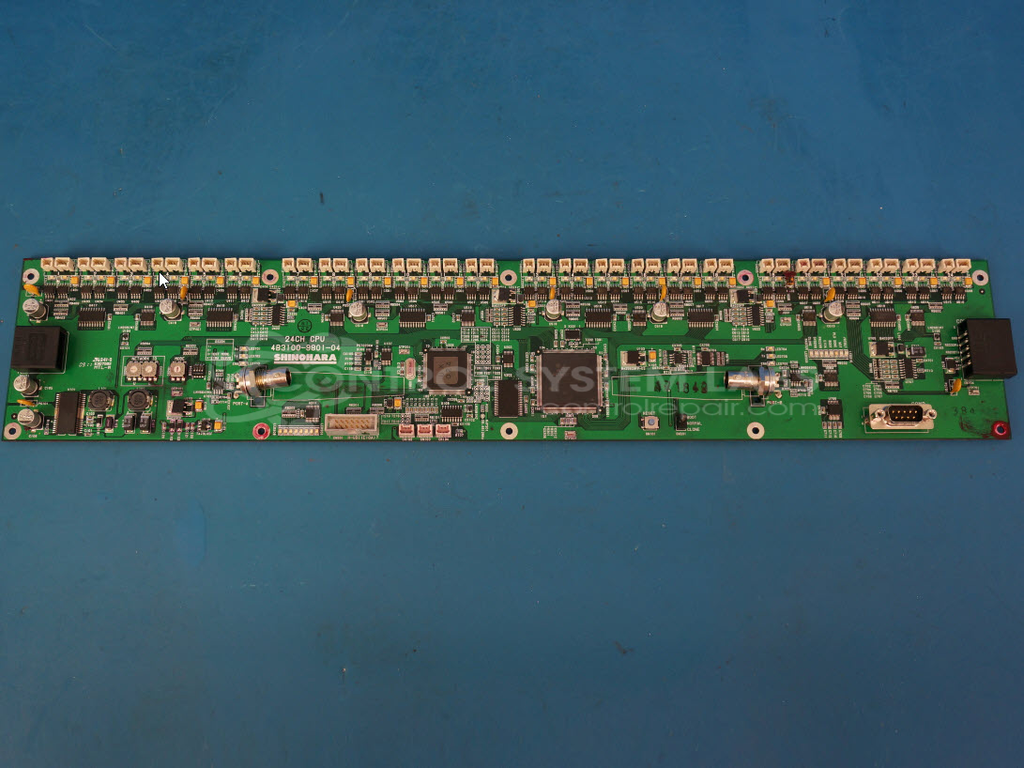
Product Overview: The 24 Channel CPU Board with Inker Backplane is a control board used in Shinohara printing press systems to manage ink fountain zone operations. It controls the opening and closing of 24 individual ink zones, allowing precise ink distribution across the printing surface. The board features multiple MOSFET drivers for zone actuation, PTC resettable fuses for circuit protection, and analog switching circuits for signal routing. Commonly found in commercial offset printing equipment, it operates in demanding environments with exposure to ink mists and airborne contaminants, requiring adequate cooling and filtration in the electrical cabinet.
Category: Backplane
Manufacturer: Shinohara
Manufacturer Part Number: 4B3100-9801-04
A common problem is overcurrent trips on one or groups of 4 inkers. We can repair and test this failure. Send your board in for repair.
Common Failures
Typical symptoms of issues with this product include the device not opening or closing ink fountain zones and components breaking off the board. Problems identified during evaluation have involved dual MOSFETs, capacitors, and contamination from oil and ink residue.
Repair Approach
Repair efforts focused on replacing defective components such as dual MOSFETs and SMD electrolytic capacitors. Preventative measures included replacing fuses and performing extended cleaning to remove oil and ink residue from the board. We recommend checking and replacing cooling fan filters to help prevent airborne contaminants from affecting the board in the future.
Testing & Quality
Post-repair, a burn-in test with load was performed on the unit. Communication capabilities could not be tested during the final procedure. We recommend conducting a final functionality test to ensure complete performance upon receiving the unit.
Service and repair your broken Shinohara part
We can repair your Shinohara model 4B3100-9801-04 in our facility. Let our skilled technicians get your Shinohara back in operation quickly.
Step 1 - Click the green 'Repair Now' button above to add the part and then complete the RMA.
Step 2 - The RMA form will be sent to you via email. Print the RMA form and put it in a box with the item(s) for repair.
Step 3 - Ship or mail the box to the address listed on the RMA.
Once the user has seen at least one product this snippet will be visible.