




Repair
Repair Price: $ 2,080.00
Purchase
CSL Part Number: 10257
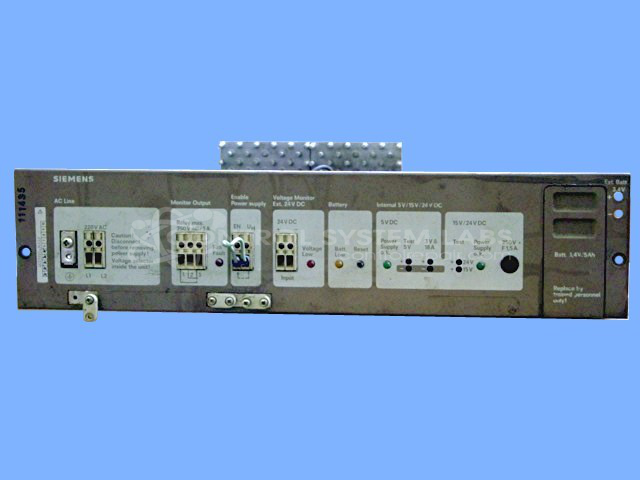
Product Overview: A modular power supply module for programmable logic controllers, converting line input into regulated low-voltage DC outputs to power the rack, processor, and I/O modules. Features dual cooling fans and fused protection. Commonly used in industrial automation systems, including paper manufacturing equipment.
Category: Power Supply
Manufacturer: Siemens
Manufacturer Part Number: 6ES5955-3LC13
Series: SIMATIC S5 PLC
Brand: Simatic
Power supplies are tested with a minimum 4-hour burn-in, under load.
Common Failures
Frequent issues with this product include non-functional fans, blown fuses, and no output from the unit. These problems have been noted to result from faulty cooling fans and transformers, as well as defective fuses. An additional symptom reported has been sluggish fan operation.
Repair Approach
Typical repairs involve the replacement of non-working fans, transformers, and fuses. In some cases, fan lubrication and unit cleaning have been utilized to address fan sluggishness. Thorough testing under load and burn-in procedures are commonly employed to verify proper operation following repair.
Testing & Quality
Repaired units undergo extensive testing, including operation under load and burn-in for periods ranging from 45 minutes to 4 hours. Shock testing and component tests are also performed to verify the reliability and proper functioning of the repaired unit before it is returned to the customer.
Service and repair your broken Siemens part
We can repair your Siemens model 6ES5955-3LC13 in our facility. Let our skilled technicians get your Siemens back in operation quickly.
Step 1 - Click the green 'Repair Now' button above to add the part and then complete the RMA.
Step 2 - The RMA form will be sent to you via email. Print the RMA form and put it in a box with the item(s) for repair.
Step 3 - Ship or mail the box to the address listed on the RMA.
Once the user has seen at least one product this snippet will be visible.