




Repair
Repair Price: $ 2,420.00
Purchase
CSL Part Number: 34071
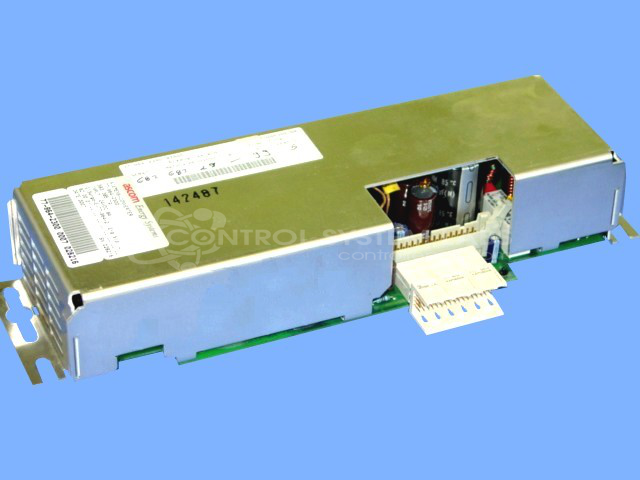
Product Overview: A high voltage converter power supply operating from a 24V DC input to generate high voltage output via an internal step-up transformer. Used in industrial paper processing equipment, it drives high voltage loads such as lamp or ionization circuits and includes a cooling fan for thermal management.
Category: Power Supply
Manufacturer: Siemens
Manufacturer Part Number: 77-964-2300
Also Known As(AKA): ASCOM FRANKO
No repair unless hook-up info can be provided for the 54 pin connector
Common Failures
Several units were reported with high voltage issues. In multiple instances, the high voltage transformer was found to be defective, leading to the unit being beyond economic repair. Another common symptom reported was non-functional cooling fans, resulting in no power output for the operator interface circuit.
Repair Approach
For units experiencing high voltage issues, our technicians tested transformer resistance and substituted driver transistors to diagnose the problem. However, due to unavailable replacement parts, such as the transformer, the units were often returned unrepaired upon customer request.
Testing & Quality
Units were tested for expected voltage outputs and compared against known serviceable units to assess performance. In cases where further load testing was required, customers were advised to conduct final tests within their setup, especially when specific load specifications, such as lamp information, were not provided.
Service and repair your broken Siemens part
We can repair your Siemens model 77-964-2300 in our facility. Let our skilled technicians get your Siemens back in operation quickly.
Step 1 - Click the green 'Repair Now' button above to add the part and then complete the RMA.
Step 2 - The RMA form will be sent to you via email. Print the RMA form and put it in a box with the item(s) for repair.
Step 3 - Ship or mail the box to the address listed on the RMA.
Once the user has seen at least one product this snippet will be visible.