



Repair
Repair Price: $ 592.00
Purchase
CSL Part Number: 7038
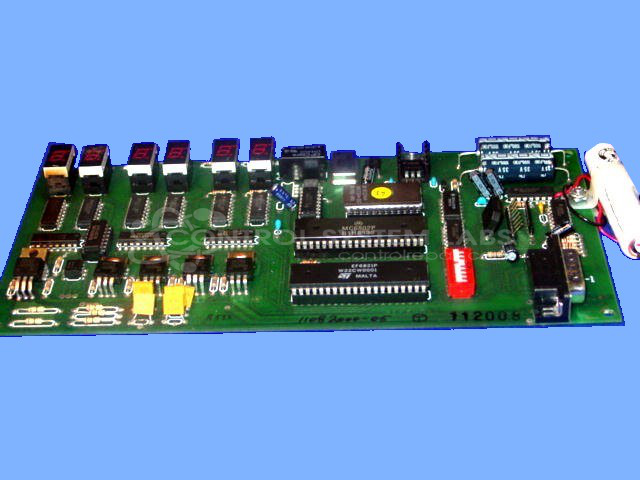
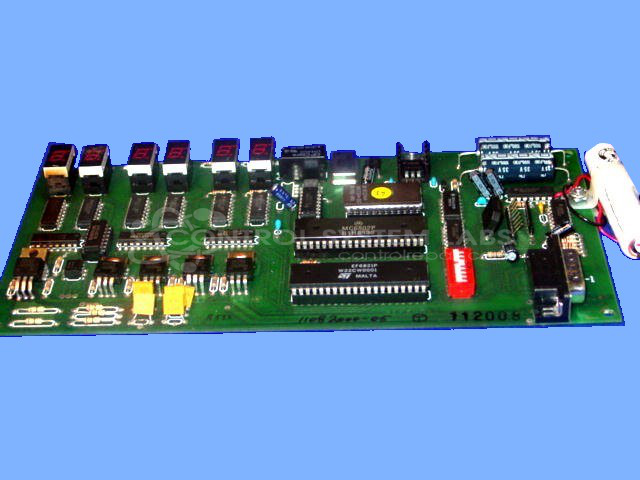
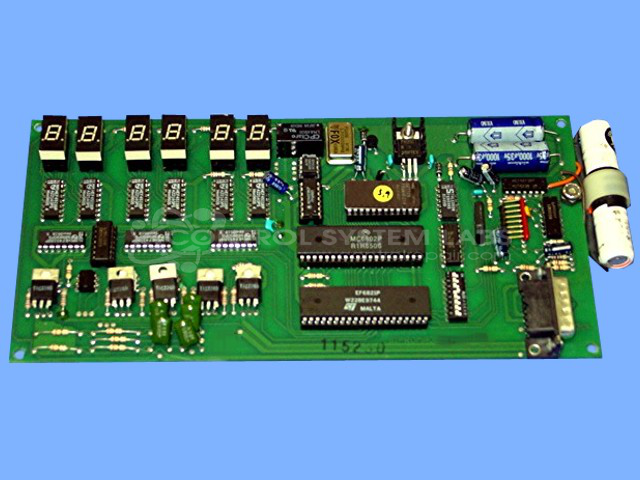
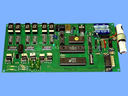
Product Overview: The Sipromac MC-30 (also known as JVR) is a control board designed for package vacuum sealing equipment. It manages vacuum, seal, and atmosphere relay operations through programmed cycles. The board features a 5V regulated power supply, backup battery for memory retention, multiple relay outputs, seven-segment displays, and configurable DIP switch settings. It connects via 15-pin D-Sub connector and operates on 120VAC input. Commonly found in commercial and industrial vacuum packaging machines.
Category: Control Board
Manufacturer: Sipromac
Manufacturer Part Number: MC-30
Also Known As(AKA): JVR
Common Failures
Common issues observed with the Sipromac MC30 control board include loose connections, damaged D-Sub connectors, and corrosion, particularly in the battery area and on integrated circuits. Battery-related concerns have also been noted during evaluation.
Repair Approach
The repair process for the Sipromac MC30 typically involves cleaning to address corrosion, replacing damaged connectors, and replacing integrated circuits as needed. Corrosion-related repairs may require additional time. Batteries are replaced when evaluation indicates insufficient charge retention.
Testing & Quality
Diagnostic testing includes verification of circuit voltages, operational checks of relays and switches, and burn-in testing for battery performance. Units are programmed and tested to confirm proper output control. Following repairs, conformal coating may be applied to provide additional protection.
Service and repair your broken Sipromac part
We can repair your Sipromac model MC-30 in our facility. Let our skilled technicians get your Sipromac back in operation quickly.
Step 1 - Click the green 'Repair Now' button above to add the part and then complete the RMA.
Step 2 - The RMA form will be sent to you via email. Print the RMA form and put it in a box with the item(s) for repair.
Step 3 - Ship or mail the box to the address listed on the RMA.
Once the user has seen at least one product this snippet will be visible.