




Repair
Repair Price: $ 2,636.00
Purchase
CSL Part Number: 49611
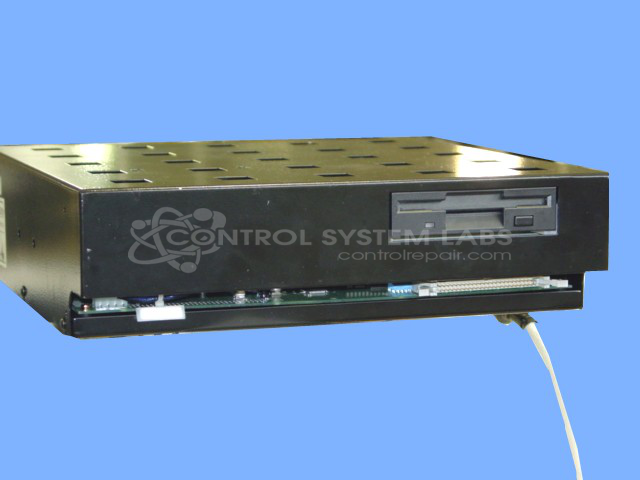
Product Overview: Industrial computer control module serving as the central processing and control system for EDM (electrical discharge machining) equipment. Features a floppy drive, analog RGB video output, serial communication ports, real-time clock, mouse and keyboard interfaces, and an internal power supply. Configured for copper electrode die-sinking EDM operation.
Category: Computer Items
Manufacturer: Sodick
Manufacturer Synonyms: Sodick Plustech
Manufacturer Part Number: MARK 21 C (COPPER)
Common Failures
These devices may experience issues related to configuration errors and real-time clock (RTC) module defects. Reported symptoms may include blown fuses, which can occur when incorrect replacement components are installed.
Repair Approach
Our evaluation and repair process typically includes checking for configuration errors and replacing defective RTC modules as needed. We verify that correct components are used to help prevent further damage. Testing is performed to confirm functionality of power supply voltages, communication ports, and peripheral device sections.
Testing & Quality
Each unit is tested to verify correct operation, including memory tests and system tests. The device is operated for several hours to check stability and functionality. Repairs are documented, and we consult with customers regarding any findings. Our process is designed to verify that the device meets operational standards before it is returned.
Service and repair your broken Sodick part
We can repair your Sodick model MARK 21 C (COPPER) in our facility. Let our skilled technicians get your Sodick back in operation quickly.
Step 1 - Click the green 'Repair Now' button above to add the part and then complete the RMA.
Step 2 - The RMA form will be sent to you via email. Print the RMA form and put it in a box with the item(s) for repair.
Step 3 - Ship or mail the box to the address listed on the RMA.
Once the user has seen at least one product this snippet will be visible.