




Repair
Repair Price: $ 1,040.00
Purchase
CSL Part Number: 23394
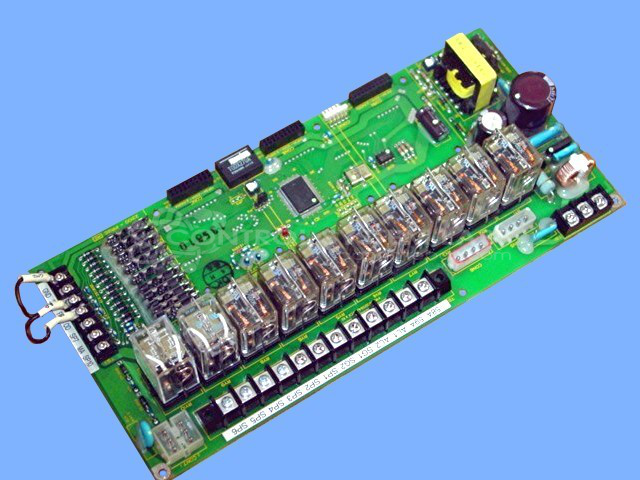
Product Overview: An interlock junction printed circuit board used in robotic automation systems, specifically sprue pickers and take-out robots for injection molding. It manages safety interlock signaling, relay switching, and onboard power regulation, featuring input and output optocouplers for isolated signal transfer and multiple DC supply rails.
Category: Robotic
Manufacturer: Star Seiki
Manufacturer Synonyms: Star Automation
Manufacturer Part Number: IL401
Also Known As(AKA): 23100-PR12D
Missing relays on board repairs are charged extra.
Common Failures
Units submitted for repair have exhibited blown fuses when power is applied, suggesting power supply faults. Relay failures have also been observed, requiring component replacement and connection rework.
Repair Approach
Power supply repairs may include replacement of critical components such as voltage regulators and bridge rectifiers. When relay failures are identified, affected relays are replaced and connections are resoldered as needed. Missing or faulty relays are replaced during the repair process.
Testing & Quality
Repaired units undergo a burn-in period to verify output stability. Replaced components and connections are tested for proper operation. While full functional testing of all digital sections may not be feasible in all cases, available test points and functions are verified to the extent possible.
Service and repair your broken Star Seiki part
We can repair your Star Seiki model IL401 in our facility. Let our skilled technicians get your Star Seiki back in operation quickly.
Step 1 - Click the green 'Repair Now' button above to add the part and then complete the RMA.
Step 2 - The RMA form will be sent to you via email. Print the RMA form and put it in a box with the item(s) for repair.
Step 3 - Ship or mail the box to the address listed on the RMA.
Once the user has seen at least one product this snippet will be visible.