



Repair
Repair Price: $ 2,552.00
Purchase
CSL Part Number: 83896
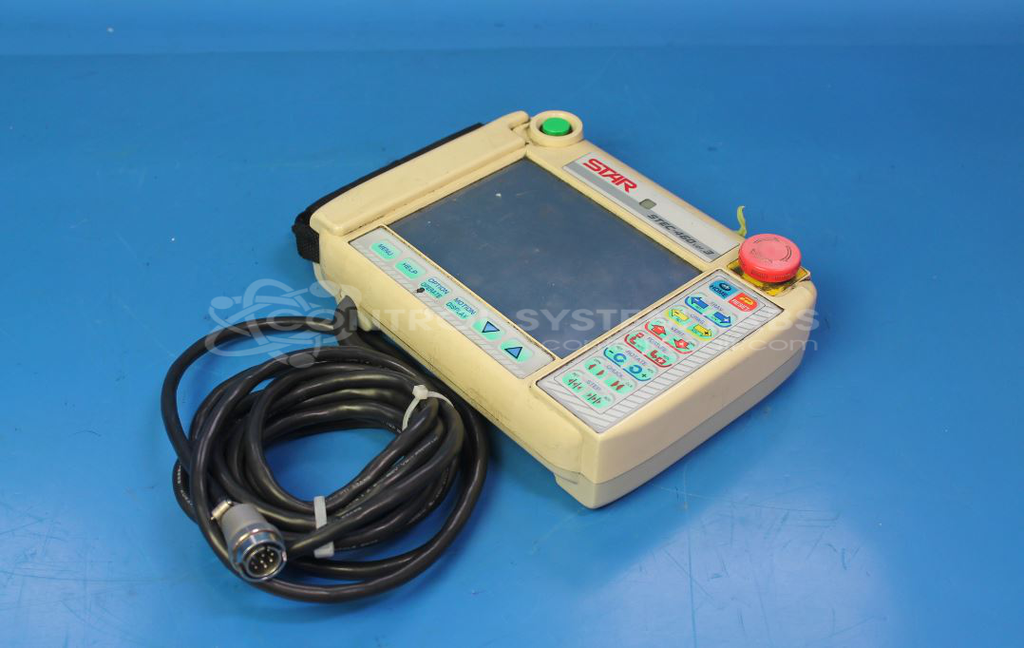
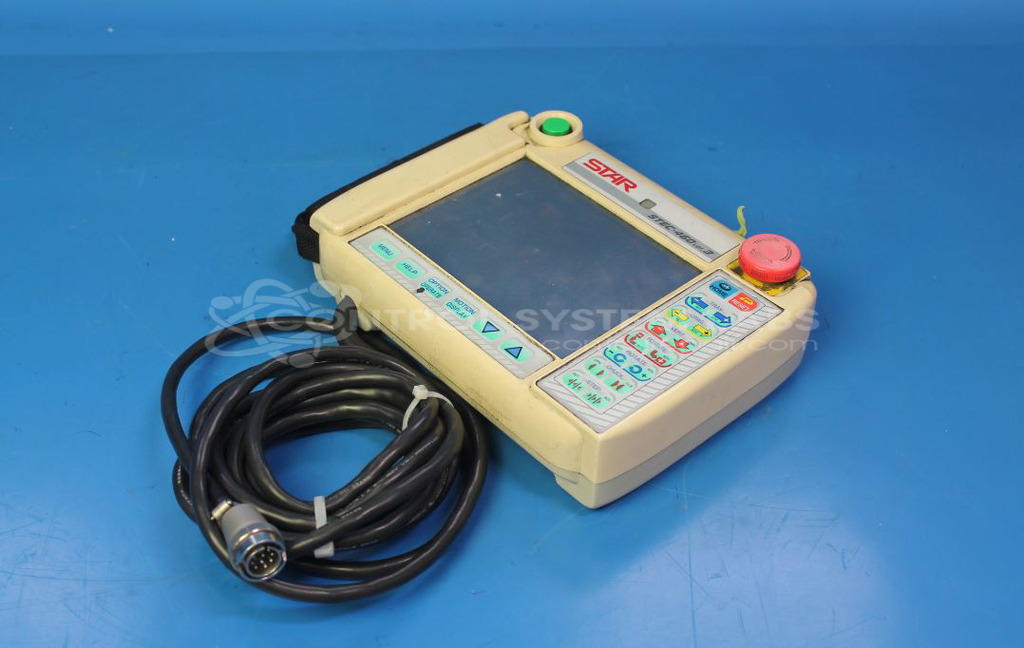
Product Overview: The Star Seiki P470-4 (STEC-470 Ver. 3) is an operator pendant used for control and monitoring of industrial machinery, particularly injection molding equipment. It features a 6.5-inch LCD display with 640x480 resolution and dual CCFL backlighting for screen visibility. The pendant contains a microprocessor-based control system with various capacitors and electronic components for signal processing and power management. It communicates with the main machine controller to provide real-time operation data and allow operator input for process control and parameter adjustment.
Category: Pendant
Manufacturer: Star Seiki
Manufacturer Synonyms: Star Automation
Manufacturer Part Number: P470-4 [STEC-460 ver.3]
Also Known As(AKA): STEC-470 Ver. 3
Common Failures
Common issues reported with this unit include the display screen not powering on despite the unit receiving power. Such symptoms may be associated with backlight circuits, display components, or solder joint integrity on circuit boards.
Repair Approach
We would be glad to review the item. Once the unit is received and reviewed, we can provide a quotation before charges are incurred. Repair work may involve component-level inspection and replacement of defective parts as identified during evaluation. Our technicians perform detailed inspection and rework as needed to restore functionality.
Testing & Quality
Following repair, units are tested to verify proper operation. Testing includes functional checks and extended run-time evaluation to confirm consistent performance. All work is subject to quality review before the unit is prepared for return shipment.
Service and repair your broken Star Seiki part
We can repair your Star Seiki model P470-4 [STEC-460 ver.3] in our facility. Let our skilled technicians get your Star Seiki back in operation quickly.
Step 1 - Click the green 'Repair Now' button above to add the part and then complete the RMA.
Step 2 - The RMA form will be sent to you via email. Print the RMA form and put it in a box with the item(s) for repair.
Step 3 - Ship or mail the box to the address listed on the RMA.
Once the user has seen at least one product this snippet will be visible.