




Repair
Repair Price: $ 1,264.00
Purchase
CSL Part Number: 82371
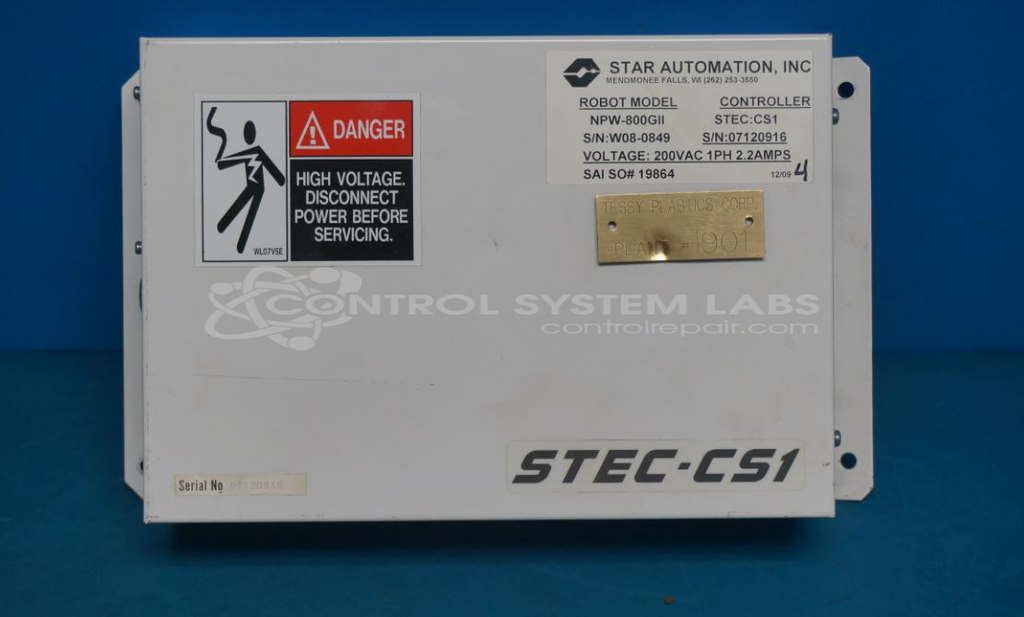
Product Overview: A robotic controller control box that manages the motion and I/O sequencing of automated take-out robots used with injection molding machines. It handles inputs and outputs such as mold open, mold close, and vacuum arm positioning, and operates with a connected teach pendant for programming and monitoring.
Category: Robotic
Manufacturer: Star Seiki
Manufacturer Synonyms: Star Automation
Manufacturer Part Number: STEC-CS1
Common Failures
Reported issues include units not powering up, output remaining on continuously, input signal problems, and controls not starting. Symptoms may include unresponsive units, malfunctioning pendants, or mechanical components stuck in position.
Repair Approach
The repair process typically involves verification of the reported problem through testing. Common repairs include replacing defective components such as cooling fans, resistors, and fuse holders. In some cases, issues may not be reproducible during evaluation. Units are cleaned and tested according to standard procedures.
Testing & Quality
Testing includes applying power and verifying proper function after repairs. Tests are performed on circuits and components using appropriate test equipment and methodologies. Repairs involving complex issues may require multiple component replacements. All repairs conclude with quality checks to meet CSL standards.
Service and repair your broken Star Seiki part
We can repair your Star Seiki model STEC-CS1 in our facility. Let our skilled technicians get your Star Seiki back in operation quickly.
Step 1 - Click the green 'Repair Now' button above to add the part and then complete the RMA.
Step 2 - The RMA form will be sent to you via email. Print the RMA form and put it in a box with the item(s) for repair.
Step 3 - Ship or mail the box to the address listed on the RMA.
Once the user has seen at least one product this snippet will be visible.