




Repair
Call for price
Purchase
CSL Part Number: 84317
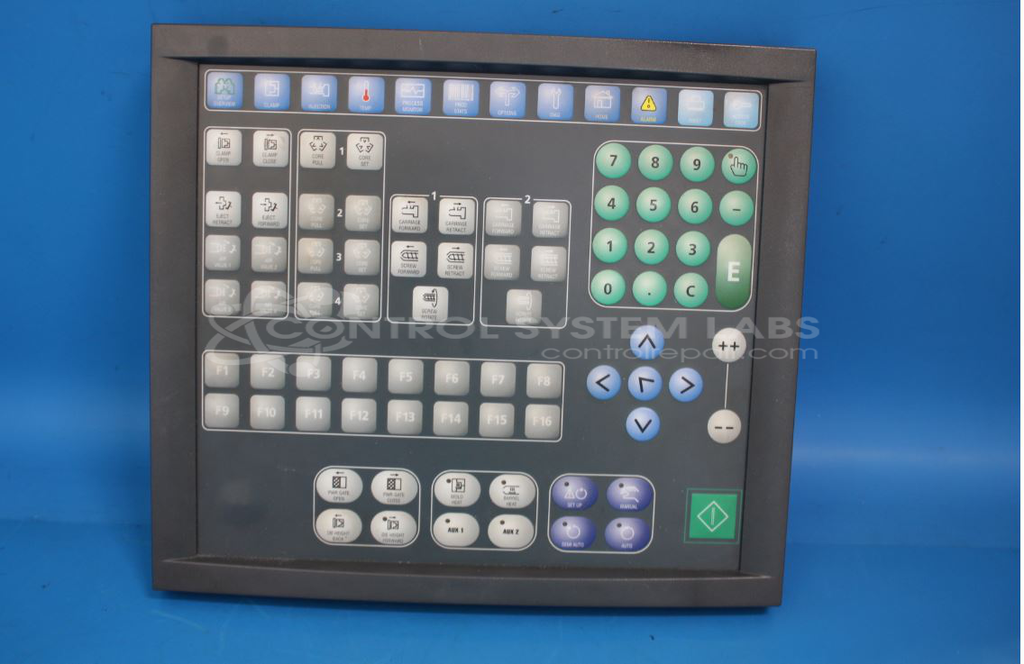
Product Overview: A membrane keypad used as the operator input interface for injection molding machine control displays (VDU). It communicates button presses to the machine controller via CAN bus and integrates an onboard microcontroller, voltage regulation, and signal buffering for reliable operator command entry.
Category: Membrane Keypad
Manufacturer: Sumitomo Demag
Manufacturer Part Number: 12-210-891-v
Common Failures
This product may experience input issues related to the keypad regulator. Damage in this area can affect resistors and other circuit components such as buffers, microcontrollers, and transceivers. Some customers have reported display issues when connecting the keyboard to a monitor.
Repair Approach
We evaluate each unit to identify the specific failure. Repairs may involve replacing damaged components such as resistors, buffers, supervisors, and processors. Component reprogramming may also be required. If a reported issue cannot be verified during evaluation, the unit will be returned with findings documented.
Testing & Quality
Following repair, we perform verification testing to confirm that power supplies and communication functions are operational. Testing is conducted to validate the repair, though full functional testing may be limited depending on the unit and available test resources.
Service and repair your broken Sumitomo Demag part
We can repair your Sumitomo Demag model 12-210-891-v in our facility. Let our skilled technicians get your Sumitomo Demag back in operation quickly.
Step 1 - Click the green 'Repair Now' button above to add the part and then complete the RMA.
Step 2 - The RMA form will be sent to you via email. Print the RMA form and put it in a box with the item(s) for repair.
Step 3 - Ship or mail the box to the address listed on the RMA.
Once the user has seen at least one product this snippet will be visible.