



Repair
Repair Price: $ 1,864.00
Purchase
CSL Part Number: 82615
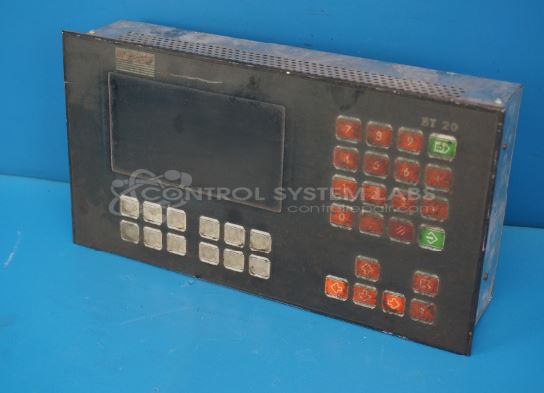
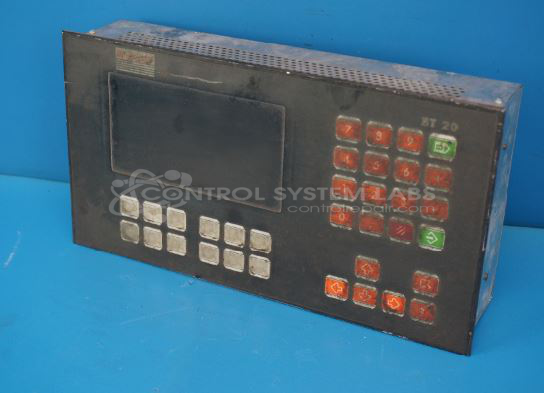
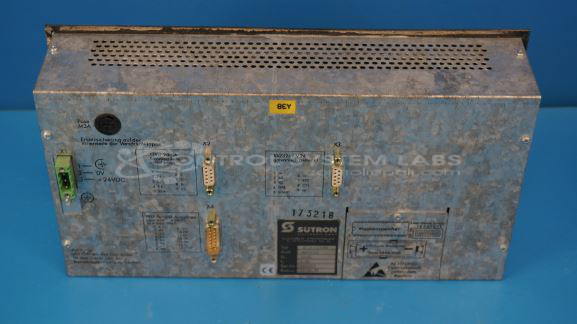
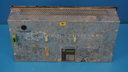
Product Overview: The Sutron Electronic BT30/0300B0 is an operator interface panel featuring an integrated keyboard and display for industrial control applications. It provides manual input and visual feedback for programmable logic controllers and automation systems. The unit communicates via serial TTY interface and is commonly used with Siemens S5 series PLCs and similar controllers in manufacturing and process control environments. The panel includes keypads for parameter entry and monitoring functions, enabling operators to interact with machine control systems.
Category: Operator & Control Panels
Manufacturer: Sutron Electronic
Manufacturer Part Number: BT30/0300B0
Include the problem of the Operator Panel with the repair.
Common Failures
Intermittent operation and recurring error codes may be observed in the controller. The controller may work briefly before stopping and logging error codes related to communication failures.
Repair Approach
Repairs may involve circuit board trace repairs and addressing burn damage in the communication area. Additionally, program and parameter data may be copied to external media as a precautionary measure.
Quality and Testing
After repairs, the unit undergoes comprehensive testing to evaluate display functionality, keypad operation, and serial communication integrity. These tests are performed to confirm the restoration of expected system performance and reliability.
Service and repair your broken Sutron Electronic part
We can repair your Sutron Electronic model BT30/0300B0 in our facility. Let our skilled technicians get your Sutron Electronic back in operation quickly.
Step 1 - Click the green 'Repair Now' button above to add the part and then complete the RMA.
Step 2 - The RMA form will be sent to you via email. Print the RMA form and put it in a box with the item(s) for repair.
Step 3 - Ship or mail the box to the address listed on the RMA.
Once the user has seen at least one product this snippet will be visible.