


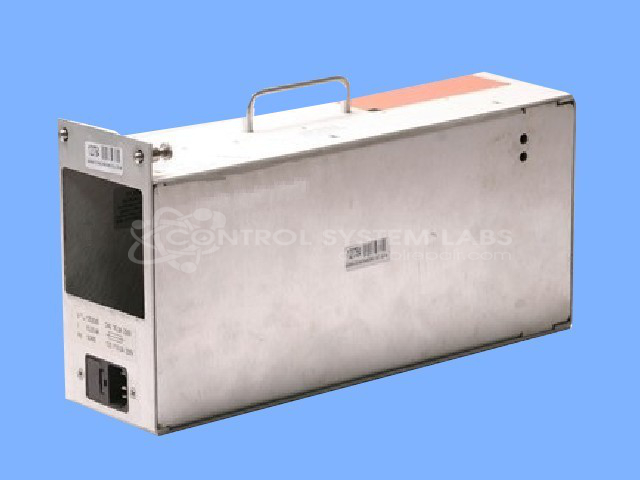


Repair
Repair Price: $ 680.00
Purchase
CSL Part Number: 72577
Product Overview: Dual-output switching power supply delivering 24Vdc at 15A and 5Vdc at 5A. It converts AC line input to regulated DC for powering industrial and laboratory equipment such as HPLC analytical systems, and features remote on/off control via an external switch terminal.
Category: Power Supply
Manufacturer: Switching Systems International
Manufacturer Synonyms: SSI
Manufacturer Part Number: SDS400-2405-I
Also Known As(AKA): CONDOR
Common Failures
Common issues reported with this product include control problems such as the unit remaining on or not powering on, intermittent powering issues, and screen flickering. In some cases, customers needed to disconnect the power supply to turn the unit off, which may indicate potential external switch faults. Additional issues such as failure to power up and unstable operation have also been noted.
Repair Approach
Repairs have involved replacing faulty components including various capacitors and integrated circuits. Units are frequently resoldered and components such as low voltage electrolytic capacitors are replaced as needed. Some repairs require disassembly of the unit for thorough evaluation and testing.
Testing & Quality
After repairs, units undergo burn-in tests to validate functionality. These tests are conducted under load conditions and may range from several hours to extended periods depending on the unit's condition and complexity. This testing process is designed to verify that the repaired product operates as expected.
Service and repair your broken Switching Systems International part
We can repair your Switching Systems International model SDS400-2405-I in our facility. Let our skilled technicians get your Switching Systems International back in operation quickly.
Step 1 - Click the green 'Repair Now' button above to add the part and then complete the RMA.
Step 2 - The RMA form will be sent to you via email. Print the RMA form and put it in a box with the item(s) for repair.
Step 3 - Ship or mail the box to the address listed on the RMA.
Once the user has seen at least one product this snippet will be visible.