




Repair
Repair Price: $ 776.00
Purchase
CSL Part Number: 35378
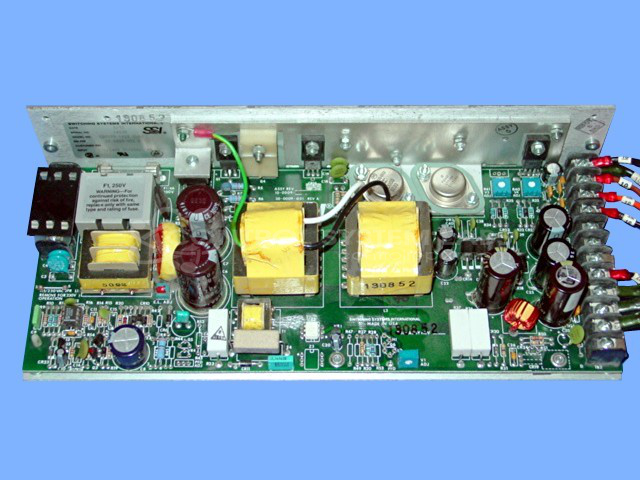
Product Overview: A multi-voltage switching power supply delivering regulated outputs of +5V at 25A, +24V at 5A, and ±15V at 5A. It converts AC input into multiple DC rails to power industrial control systems, logic boards, and electronic equipment requiring several simultaneous voltage levels.
Category: Power Supply
Manufacturer: Switching Systems International
Manufacturer Synonyms: SSI
Manufacturer Part Number: SQV175-1433 (L6)
Series: SQV International Series
Also Known As(AKA): 20-009-022D P/N
+5V @ 25amp/ +24V @ 5amp / (+-) 15V @ 5amp
Common Failures
Reported issues have included output cut-off after a short duration, blown fuses on power-up, and unresponsive output. These problems have been traced to overheating components, shorted transistors, and faulty capacitors or diodes.
Repair Approach
Repairs have involved replacing overheated resistors, shorted transistors, and failed capacitors or diodes. Preventative replacements of components have been conducted when appropriate. Each repair included thorough cleaning and testing.
Testing & Quality
After repairs, units undergo burn-in testing under load. Tests range from 4 to 48 hours with repeated power cycling to verify repair effectiveness and performance. This process supports restored functionality.
Service and repair your broken Switching Systems International part
We can repair your Switching Systems International model SQV175-1433 (L6) in our facility. Let our skilled technicians get your Switching Systems International back in operation quickly.
Step 1 - Click the green 'Repair Now' button above to add the part and then complete the RMA.
Step 2 - The RMA form will be sent to you via email. Print the RMA form and put it in a box with the item(s) for repair.
Step 3 - Ship or mail the box to the address listed on the RMA.
Once the user has seen at least one product this snippet will be visible.